Employers and electioneering

I came across a Huffington Post/YouGov poll today that asked a simple question: “Should it be legal or illegal for companies to ask employees to vote for candidates they support?” Not surprisingly, as of the time of my vote (I said yes), the vast majority of responders said “illegal”.

In reading this question, it would not surprise me if a lot of people were of the mindset that the company in question would be able to determine how a particular employee voted and could then weed out those who don’t align politically with the company. Except that’s not entirely possible.

In the United States, all elections are carried out by secret ballot. This wasn’t always the case, and the practice wasn’t universal across the United States until 1892 (there were 44 States in the US at the time). Under that practice, it would be impossible for someone to determine how you voted unless you explicitly say how you voted.

That a person voted in a particular election is public record, but how that person voted is not available. It is not possible for someone to determine from public records how you voted in a particular election, only that you voted. So it would be impossible for your employer to determine whether you voted for a candidate they support.

Now your employer may be able to determine who in their company voted in the most recent election. If they believe voting to be important, they could use that information to modify company policies to try to encourage as many to get to the polls as possible. They may also be able to determine if they’re registered to vote and, again, modify company policies to encourage registration. A lot of people think there are major privacy concerns at play here, but I don’t share that point of view.

So then, if your employer wants to promote a particular candidate around the office, should that be illegal or legal? I believe it should be completely legal, so let’s get into this.

For one, there’s the First Amendment to the Constitution. The Supreme Court of the United States ruled in the infamous and landmark Citizens United case that corporations can promote political candidates or causes. They are still open to the consequences of their political speech, but they are not barred from making it. This means that if a corporation wishes to send out an e-mail to employees encouraging them to support a particular candidate or ballot initiative, they are free to do so. I think the only subjects on which they are still barred from doing so have to do with unionization or labor relations, courtesy of Federal laws and regulations regarding those topics.

For example, I work for a large health care corporation in the United States. This past election cycle they didn’t send out any messages encouraging us to support any particular candidate or ballot initiative. The same for 2012 when Missouri Proposition E was on the ballot regarding health insurance exchanges in the State — it requires the legislature or voters to approve any health insurance exchange to be created under the Affordable Care Act.

While they never sent out any kind of communication asking us to support a particular candidate or ballot initiative, it is not illegal for them to do so, nor should it be illegal for them to do so.

But again I feel in considering this question, many probably think that corporations could go one step further and reprimand or otherwise show disfavor toward employees who do not vote a particular way. Political affiliation is not a protected class under employer discrimination laws, and at-will employment laws mean a person or their employer may terminate employment for any reason or none — except reasons specifically barred by discrimination laws.

So could a person be terminated simply for voting the “wrong way”? Yes.

Would any corporation actually do such a thing? No. There is plenty that safeguards against such an action that most do not readily consider.

For one, if the employee in question had a long tenure with the company, that person would be very costly loss to the company. Even then, training a new employee would be expensive for most companies. Every employee brings some kind of value to the company that would be lost if they were terminated, even if for cause.

Second, nothing bars the employee from going public with the reason for their termination. I know the typical retort: the employer would sue the former employee to keep them from going public. While this could happen, truth is a defense to any lawsuit alleging libel, slander or defamation. So if you believe you were terminated because of your politics, and only because of your politics, you’d better be able to defend such a claim if you go public with it.

If the employer can cite a different or compounding reason for your termination, you lose. And as lawsuits are public record, if you lose a defamation suit brought by a former employer, you lose even more. So if you’re going to go public with claims that are defaming toward your previous employer, you’d better be absolutely right about it, because you may have to defend those claims in Court.

So in the end, yes an employer should be allowed to encourage their employees to vote a particular way. And while an employer technically can fire an employee for not voting a particular way, there are numerous safeguards that would prevent an employer from doing so.

But the only way your employer could know, definitively, how you voted is if you actually say how you voted.
Michael Brown lost, and still would have if he were white

Let’s play a game of “what if”. In this round, let’s propose this scenario: “what if Michael Brown was white”. Debra Saunders, an opinion columnist at SFGate, stated such an idea before immediately contradicting herself:

So do I believe that Ferguson police officer Darren Wilson might not have confronted Michael Brown, 18, and his friend Dorian Johnson, 22, if they were white kids walking in the middle of the street on a hot Saturday around noon? Yes, I do. But I also find Wilson’s explanation credible. He testified that he approached the young men because he saw cars swerving around them. It’s his job to keep the community safe.

First, if two white men were walking down the middle of the road, police will confront them. As Saunders pointed out, hence her contradiction, Brown and Johnson’s actions were causing problems with traffic. Now if Michael Brown was white, would he still be alive today? Very likely, but not for the reasons you might be thinking.

I will say up front that if a white person did the same as Michael Brown, the outcome would’ve been the same. But I don’t believe that would’ve happened.

The fact that blacks are statistically far more likely than whites to be arrested, convicted and jailed for longer sentences also leads them to have a far lesser trust of authority, especially the police. Trust for police among blacks is much lower than among whites, and contacts by police with black individuals are more likely to be confrontational. Add into this the fact that encounters by white officers with black individuals are painted heavily with the “racist” brush, and it becomes a powder keg.

Michael Brown’s death was the lit fuse in Ferguson’s powder keg.

The first rule of police encounters is to remain calm and cool, and to recognize that if you escalate a simple encounter to a confrontation, you will almost always lose — at minimum it’ll be your freedom, even if just temporarily, or it could be your life.

The reason Michael Brown would still be alive if he were white is because he would very likely have, without fail, obeyed the officer’s command to move to the sidewalk if he were encountered walking down the middle of the street as Brown was — an act that is more dangerous than it is illegal, just like most traffic-related infractions. If he acted up against the officer, though, even to the point of losing his life, we would have readily attributed it to some kind of substance issue — strung up on some kind of drug — or a psychiatric concern, and not to any kind of ingrained distrust for police.

Brown did not have to die that day. If he had merely obeyed the officer’s command to move to the sidewalk, cooperated when asked about the cigarillos in his hands, then the outcome would’ve been quite different. Brown would still have been arrested on a theft charge, and even though the video shows evidence qualifying for a felony charge, the prosecution would probably have made it a misdemeanor with probation and restitution simply to get it out of the way.

But as the evidence demonstrates, Brown did not obey the officer. He attacked the officer. He gave the officer reason to fear for his life. That is why Brown died that day. It is not because he was black. It’s because he attacked the officer. In confrontations with police, you will likely lose. Whether it’s your freedom or your life, you will very likely lose.

This is why in cases where you believe an officer is overstepping their authority, the encounter with that officer is not the place to complain about the officer’s conduct. Obey the officer so you walk away, then file the complaint as soon as possible. If your phone has an audio recorder, start talking into it on your way to file the complaint. Departments take notice when complaints are filed, because they know if complaints are not being handled, the city or county government will ask why, as the citizens will demand answers.

But for God’s sake, do not aggressively confront the police. You will not win.

Deceived parents

How many times have we heard the variation of “my child would never do something like that”, even in the face of overwhelming evidence demonstrating the child/teen in question did do “something like that”? In the case of Trayvon Martin, the Latin Times has several quotes from Trayvon’s parents repeatedly referring to the deceased 17 year-old as a “kid” who was “afraid”. And 18 year-old Michael Brown has been described numerous times as a “gentle giant”, and Brown’s mother has recently said that she believes Brown was running for his life.

When a parent is told their child was acting up in daycare, or their child is described as a bully, some parents respond with utter disbelief. And one thing that has been an ongoing source of frustration is how deceived parents tend to be about their children, almost to the point of believing that their children are incapable of anything but doing good.

Trayvon Martin’s parents, along with much of the public, want to believe that Trayvon was gunned down by a racist, trigger-happy white man for merely walking down the sidewalk. Quoting Sybrina Fulton:

My son was profiled, followed and murdered by George Zimmerman, and there was nothing accidental about that.

And again,

Instead of placing the blame on the teenager, we need to place the blame on the responsible adult. There were two people involved. We had an adult who was chasing a kid, and we had a kid who I feel was afraid.

And with Michael Brown, in a recent interview with “CBS This Morning”, Lesley McSpadden said this with regard to the allegation that Brown attacked Wilson and charged at him after being ordered to get on the ground:

I know my son far too well to know he wouldn’t ever do anything like that. He wouldn’t do anything to provoke anyone to do anything to him, and he wouldn’t do anything to anybody.

Michael Brown, Sr., the decedent’s father, said this:

For one, my son, he respected law enforcement. Two, who in their right mind would rush or charge at a police officer that has his gun drawn? It sounds crazy.

The site Truth About Deception has this to say about children and lying:

For better or worse, parents teach their children how to lie and then get upset when their children use deception for their own purposes.

In fact, children are quick to learn that lying can be useful when trying to avoid punishment, create a better image, influence other’s behavior, or form their own identity.

Children, with higher IQs, who are more socially outgoing, or who are raised in a controlling family environment are more likely to use deception.

Unfortunately, deceptive behavior tends to increase over time, especially during the teenage years, when children are trying to assert their independence.  And to make matters more complicated, teenagers tend to put rewards ahead of risks, causing them to act more carelessly (and often more deceptively) than parents would like.

The first paragraph is quite telling: parents teach their children how to lie, and then get upset when their children lie. Along with this, parents tend to form in their minds a misrepresentation of their children, often a very rosy picture of their children. We hear parents say, again “My child would never do something like that” or, when the evidence is so overwhelming as to be undeniable, “I couldn’t imagine him doing something like that”. The expressions of disbelief in the face of evidence is certainly a natural reaction — we just don’t want to believe those we love are capable of abhorrent acts.

But what you want to believe about a person and their nature does not override the evidence demonstrating a chain of events.

Evidence demonstrates that Trayvon Martin initiated contact with George Zimmerman that led to his death. Evidence demonstrates that Michael Brown initiated the chain of events that led to his death, responding to an officer’s request to move to the sidewalk (he was walking in the middle of the street) by attacking the officer in such a way that the officer feared for his life, then charging at the officer after being ordered to surrender.

That, again, is the evidence. No statement by anyone as to who they believed Brown or Martin to be will override that. Instead all they can do is recognize that they were deceived by their deceased loved ones and move on.

Beta Orionis – Part XIII

Build Log:

I remounted the Koolance water block, but the temperature differential still continues.

Now when originally running Unigine’s benchmarking tools after putting together the loop in parallel, I noted that there was a good 10C difference in temperatures between the cards — see Part XI for details. Changing to series didn’t change the differential much. So I remounted the block with fresh thermal pads and fresh IC Diamond, and it improved the differential in Unigine’s tools, but that was the only place I saw the difference.

In Bioshock Infinite with ultra settings, though, the differential was very pronounced. And worse was the temperature the card reached while I was playing. First, my setup: I have the video outputting to a 32″ 1080p television — namely a Toshiba L2400 — through HDMI.

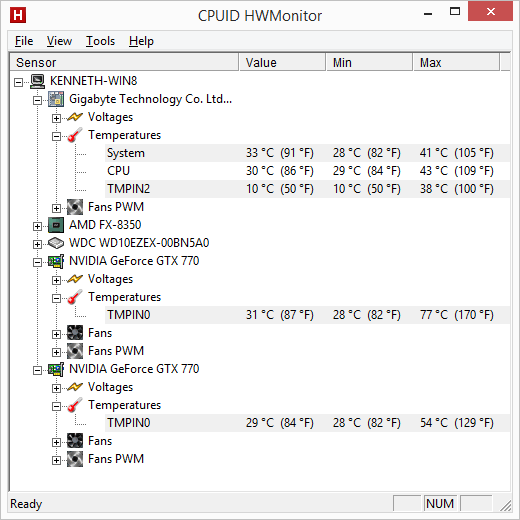
On performance, I’ll let CPUID’s HWMonitor paint the picture.

bioshock_infinite

A 23C difference in temperature between the cards, with the hottest card reaching 77C. On water. It’s reaching 77C on water.

Now they came back down to around 30C within a couple minutes of shutting down the game. But when a Kraken G10 with an all-in-one cooler performs significantly better than a near full-cover water block, there’s a concern that needs to be alleviated. Now when running Bioshock Infinite during the Kraken G10 testing, I didn’t have it running nearly as long as I did before capturing the above screenshot, but I don’t think it would’ve gotten nearly as high — the temperatures still reached 60C in under 20 minutes with the Koolance block.
So this tells me one of two things: either the card is the concern, or the block is the concern. Given the card that is getting the hotter temperature is the one I previously had mounted into a Kraken G10, I’m thinking the block is the problem.

So what other options are available? Well the only ones I’m seeing are Watercool’s Heatkiller GPU-X3, the XS-PC Razor, and EK FC-680. EK is just a bit too expensive, in my opinion, and I tend to go for the best performance value I can find. It’s why I went with Koolance on the CPU — and I’m not complaining at all about the performance I’m getting from it — but I am thoroughly disappointed with the GTX 680 waterblock.

So which am I going with? I’ve decided to try the Heatkiller block, namely because FrozenCPU had it for $75, plus another $25 for the back plate. Performance-PCs had the block for $115 and another $37 for the back plate. Plus the discount code pretty much eliminated the shipping.

In the mean time, I’ll just need to watch the temperatures if I play anything relatively intense, like Bioshock Infinite.

Misunderstanding profit

When it comes to business reports, the concept of profit has to be one of the most misinterpreted items on a company’s balance sheet. What is it, what does any particular number mean, and why are some companies posting insane profit numbers while not “sharing the wealth”? Well let’s get into this.

Now “profit” is not really an accounting term. When people say that a company posted a certain amount of profit, or wrote off a particular amount of losses for a given fiscal period, they’re typically talking about the income statement item called “Net income”.

In the simplest terms, profit is simply income minus expenses, but when talking about corporate accounting, the concept of “profit” isn’t nearly that simple. You see the one thing few understand about corporate and business accounting — and this applies to personal accounting as well — is simply not all disbursements of cash are expenses.

All cash transactions fall into one of three categories: expenses, asset acquisition, or liability reduction.

Of those three, only expenses count against the company’s net income. The other two don’t count against the net income for the fiscal period as reported in the income statement, but they do show up in the cash flow statement. The lay person sees a deduction from their bank account as an expense, whether that deduction is a liability payment or to buy groceries. In business accounting, though, this is not the case. The liability payment is an increase in the firm’s equity, not an expense, as the expense was accounted for earlier when the liability was taken.

From Wikipedia:

Due to the nature of double-entry accrual accounting, retained earnings do not represent surplus cash available to a company. Rather, they represent how the company has managed its profits (i.e. whether it has distributed them as dividends or reinvested them in the business). When reinvested, those retained earnings are reflected as increases to assets (which could include cash) or reductions to liabilities on the balance sheet.

Let’s complicate things more.

Revenue comes in two forms: cash and receivables. A receivable is money owed to you. For businesses, a receivable is typically a credit contract. When the contract is tendered, the business will record in their ledger as revenue the value of the contract. Cash that is paid against the receivable is not revenue and does not affect the total assets held by the company.

Expenses come in various forms that I’m not going to discuss here as I’d be writing out a ton.

* * * * *

Let’s have a look at everyone’s favorite corporation: Wal-Mart!

Now in January 2014, Wal-Mart reported a total net income of $16.022 billion. Now the lay person thinks that Wal-Mart’s cash holdings went up by $16 billion, but that is not the case. Indeed their balance sheet shows their cash holdings actually went down between January 2013 and 2014 by about a half billion dollars. So where the hell did all that cash go?

Let’s start with the larger numbers: Wal-Mart’s net revenue as of January 2014 was $476.294 billion, out of which comes $358.069 as cost of good sold and employee wages, salaries and benefits. Next come other expenses, including over $8 billion in taxes, $2.3 billion in interest expenses, until we get the net total income of $16.022 billion. Now again their balance sheet reports their cash holdings went down by over a half billion dollars. So what happened?

Their cash flow statement provides the details and shows a net cash flow of -$500 million. Start with the $13 billion in capital expenditures and go from there.

But it should be clear that a company that posts a $16 billion net income is not sitting on $16 billion in cash, and net income is not the same as profit. Net income is an income statement line entry. Profit is total change in assets minus total change in liabilities, meaning Wal-Mart’s actual profit according to their January 2014 balance sheet compared to January 2013 is a loss of $88 million including a $500 million loss in cash.

This also means that arguing that certain companies, like Wal-Mart, can afford to pay their employees more or provide better benefits simply because of the profits they posted is disingenuous as it doesn’t take the company’s cash flows into account. To get a true sense as to whether a company posts a profit or loss, you need to look at the balance sheet and compare the change in equity over the previous year. You also need to look at the cash flow statement to see if their total cash flow resulted in the company retaining cash or spending more than they took in.

Beta Orionis – Part XII

Build Log:

The system is back on the heart-lung machine, unfortunately. The AX860 stopped being able to handle any kind of power load for some reason, so it’s going back on RMA. It was symptoms very similar to what I saw with my CX750M when it stopped working correctly while I was trying to figure out an overclock.

The one thing rather odd was what happened ahead of it. I previously mentioned that I had my hard drives running external through an eSATA RAID enclosure. Unfortunately that decided to crap out on me in some way in which the system would just seemingly lock up hard, then just got to a point where it wouldn’t respond. I’ll probably still try to use it later with a couple spare drives as JBOD in a setup that isn’t critical.

Thankfully my hard drives are still working, so it was just a matter of picking up another external enclosure to get everything going again. I don’t exactly have any space in β Ori. to reinstall them inside the case — well perhaps if I got creative about trying to hang it from the top radiator. I didn’t go with a RAID enclosure either since my local Microcenter didn’t have any 2-bay RAID enclosures that I felt comfortable having.

Along with that I had an internal SATA RAID card that I hadn’t really been using. When I picked up a single-drive enclosure, I decided to try to connect it through the RAID card. For some reason that wouldn’t work, and the card actually became unresponsive. So there are two RMAs going out for replacements.

Now this RAID card should be able to create a RAID from external drives as well as internal. So I’m considering buying another single-drive enclosure, thus having both drives in separate enclosures, and setting them up in a RAID through the card. It’d be an interesting looking RAID, but it’d be a setup somewhat similar to Absinthe, in that the external enclosure I selected for that build has the ability to automatically rebuild a RAID 1 setup merely by replacing the faulty hard drive with one of the same model. The RAID card is slightly more involved, in that it requires I go through the BIOS, but that just means I’ll have status updates for its work while the replacement is rebuilt as opposed to a blinking/steady LED.

Now most single-drive enclosures I could find are SATA II enclosures, meaning only 3GB/s sustained transfer rate through the line. And if you’re running SSDs, that could be problematic. Most platter drives, though, can barely sustain talking around the 1.5GB/s of SATA I. Mine are a pair of 1TB WD Blues, model WD10EZEX, which, according to Western Digital’s spec sheet, can sustain only 150MB/s from host to/from drive. And with the drive’s 64MB cache, any improvement in speed at 6GB/s over the 3GB/s the current enclosure can handle is unnoticeable.

The USB 2.0 feature on the enclosure, however, would choke off the drive to less than half it’s possible sustained speed.
Along with the enclosure for the hard drive, I also picked one up for my optical drive, an LG Blu-Ray writer. I had an option to take the newer model, which supported USB 3.0 only, or I could go with a USB 2.0 model that also supported eSATA at 1.5GB/s and save about $16. Given that no optical drive can exceed 1.5GB/s — 1x for Blu-Ray is 36Mb/s (about 4MB/s) — it was an easy choice. Even connected via USB 2.0, the drive wouldn’t have a problem. All I need to do now is update my Blu-Ray software.

So all-in-all a few interesting setbacks. The loop is done and working, but I still have an interesting temperature differential between the two cards, even with them running in serial instead of parallel. I’m thinking I just need to redo the water block on the hotter card to see if that helps. I’ll handle that when RMAs come back in as I don’t feel like draining the loop again and instead I’ll just do everything at once.

A home for a kitten

On Thanksgiving Day, 2013, one of my two cats died suddenly at the still young age of 8 years old from what we’ve come to believe was an undiagnosed cardiomyopathy. In some breeds it’s a known problem, but with Charlie, there wasn’t any previous indication or any reason to believe he had such a problem. After Charlie died, I took his remains to the nearby Blue Pearl emergency veterinary clinic — I’d been by earlier to ask about after-care and see if they could examine him to see if there was an obvious answer as to why. Unfortunately there wasn’t, but the doctor on-call told me that it was likely his heart gave out. Not long thereafter is when I learned about feline cardiomyopathy.

For the better part of 2014, my wife and I have been talking about adopting another cat, preferably an adult since Charlie’s surviving brother is now 9 years old, and a kitten has the potential to be problematic.

Especially a young kitten, say around 6 weeks old…

As I write this, my wife and I had found a home for a 6 week-old kitten that we accepted from a pair of girls who were trying to find a new home for her around our apartment complex. My wife and I had just gotten into our SUV and were about to leave when they approached us, and, after glancing at my wife, I said to the girls that we’d see what we could do for her.

Truthfully we wouldn’t keep her. Thankfully finding someone who could didn’t take longer than a trip to the local emergency veterinary hospital. We drove straight to the Blue Pearl hospital instead of going to Wal-Mart first. Then I filled out the paperwork accepting responsibility for any charges and left my wife there so I could grab her prescription before the pharmacy closed. Before leaving for the pharmacy, I already knew there were two vet techs at Blue Pearl who were looking to adopt, one specifically who was looking for a kitten.
Ultimately we knew that caring for a 6 week-old kitten would’ve been problematic. If she was 6 months-old, it’d be a different story and we’d probably be figuring out accommodations right now and I’d be writing this later this evening or tomorrow morning with a much different story to tell. Instead the kitten will be living with a veterinary technician, which is better for her anyway given how young she is, and better for us since we can’t really accommodate that young of a kitten right now.

Beta Orionis – Part XI

Build Log:

Since the last incarnation in this series, the loop is done. Mostly. I’ll fill in that detail in a little bit. For now let’s talk building this out, starting with the memory.

Forget about the memory

I’ll just say this up front: trying to install the Koolance RAM-33 block is a pain in the ass. I ended up basically aborting the process, buying new memory for my wife’s machine – a planned upgrade to 16GB that happened a little ahead of schedule – and taking the 8GB from her system and putting it in mine. Seriously it was that much of a pain.

The stock heatsinks on the Corsair Vengeance Pro ram came off without much difficulty and a little gentle prying with a small, flathead screwdriver. What I saw after removing the memory is that the 2x4GB sticks are single-sided, with the other side being a stiff piece of plastic glued on to provide symmetry for the stock cooler. Sliding that into the Koolance cooler required a little bit of work, but it could be done. Unfortunately that can’t happen with the included thermal pads. Trying to install it with thermal paste also was fruitless.

If you manage to get the plastic from the other side off the stick, you still cannot slide it into the RAM-33 with the included thermal pad. So unless there is some kind of expanding foam thermal paste that I could inject into the water block between the memory stick and the surface of the water block, there didn’t seem to be a way to actually install these that I could tell, and there isn’t anything in the way of instructions online that I could find.

If I can find something in the future, I’ll consider it. After giving up on the memory chips, I turned my attention to the graphics cards.

Stuck like glue

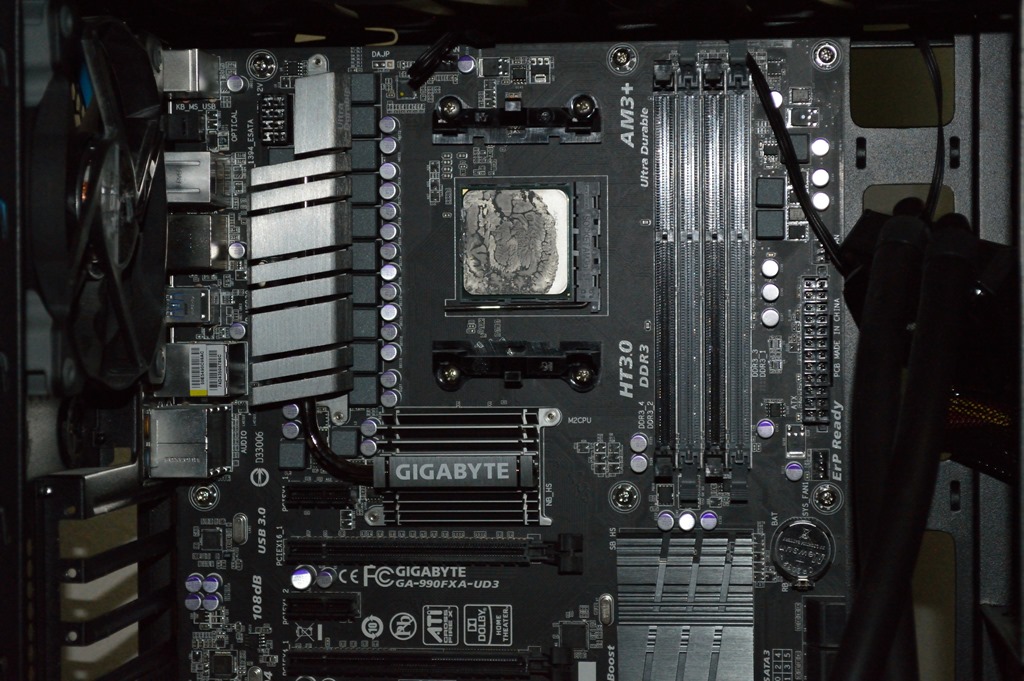
After shutting down the system, I first unplugged everything from the mainboard and graphics cards and left it all to cool down. One thing I wanted to do while the system was still warm is get the Corsair H60 off the CPU. Except the thermal compound that had been on the CPU for the better part of a year had turned to glue.

I was not going to force the situation either as I felt doing so would damage the CPU. And given how much money I’d already spent on this, I didn’t want to add another $160 plus sales tax to the mix. So instead, I just let the weight of the H60’s radiator do the work. It eventually came off.

Graphics cards

Now installing a graphics card water block is pretty straightforward. And Koolance’s blocks are no different. The one thing I found interesting is how the instructions said explicitly to put the thermal pads onto the block instead of the specific places on the graphics card.

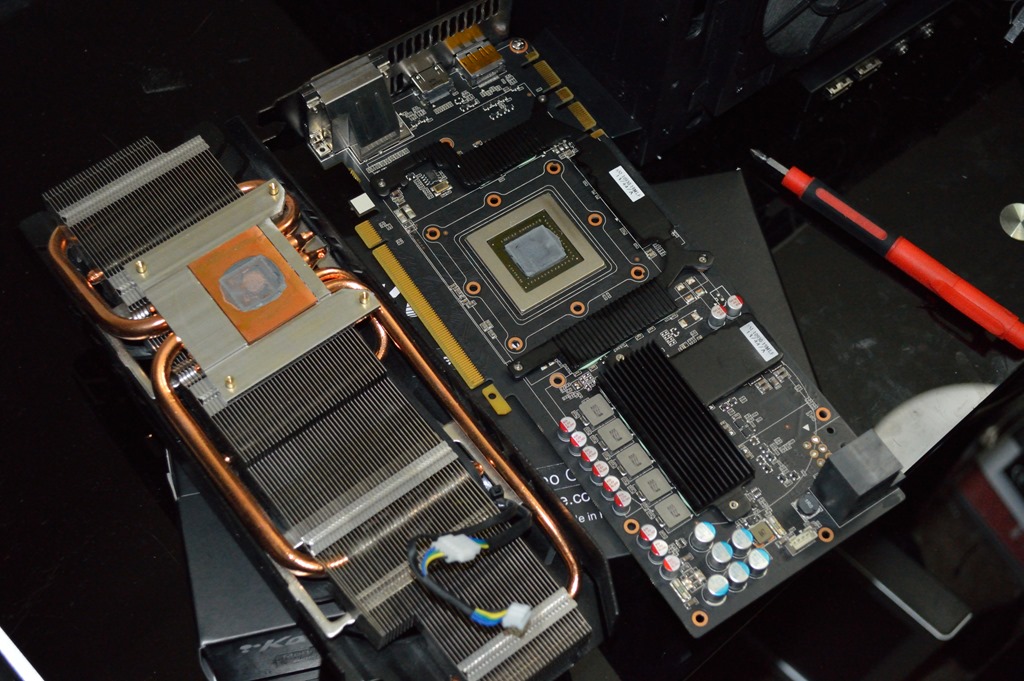
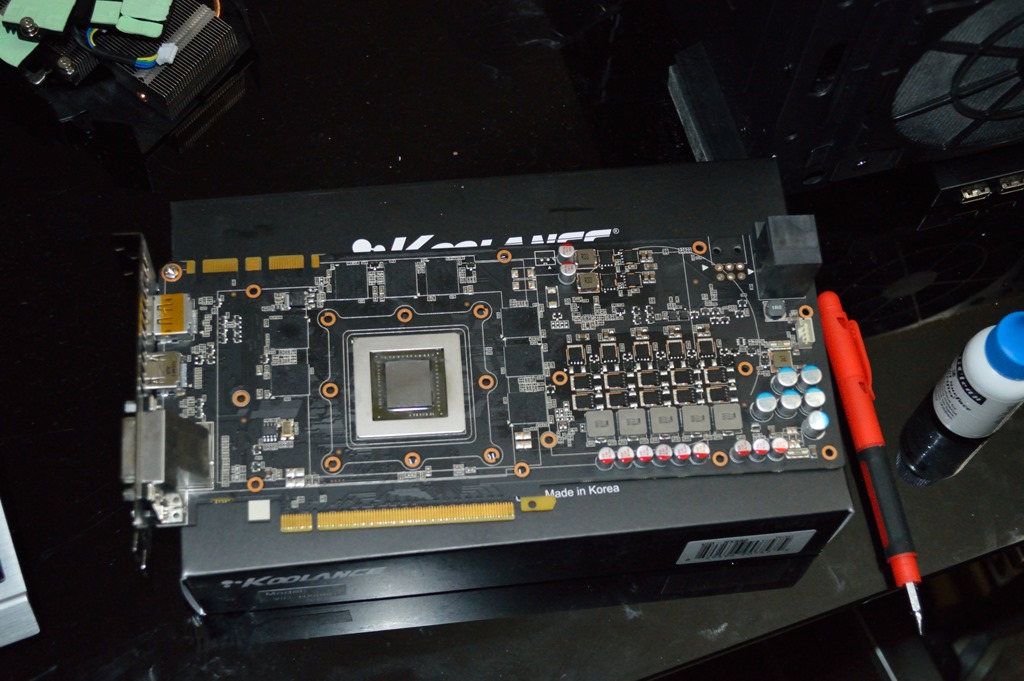
One thing I mentioned in a comment on my Kraken G10 article is that the PNY GTX 770 OC has a custom cooler with heatsinks underneath: one in a U-shape to cover the memory, and another kind of L-shaped one to cover the VRMs. Removing those heatsinks is pretty straightforward: remove the screws and use a slight twisting motion and they’ll pop loose. What you’re left with is a GTX 680 card with a GTX 770 GPU.

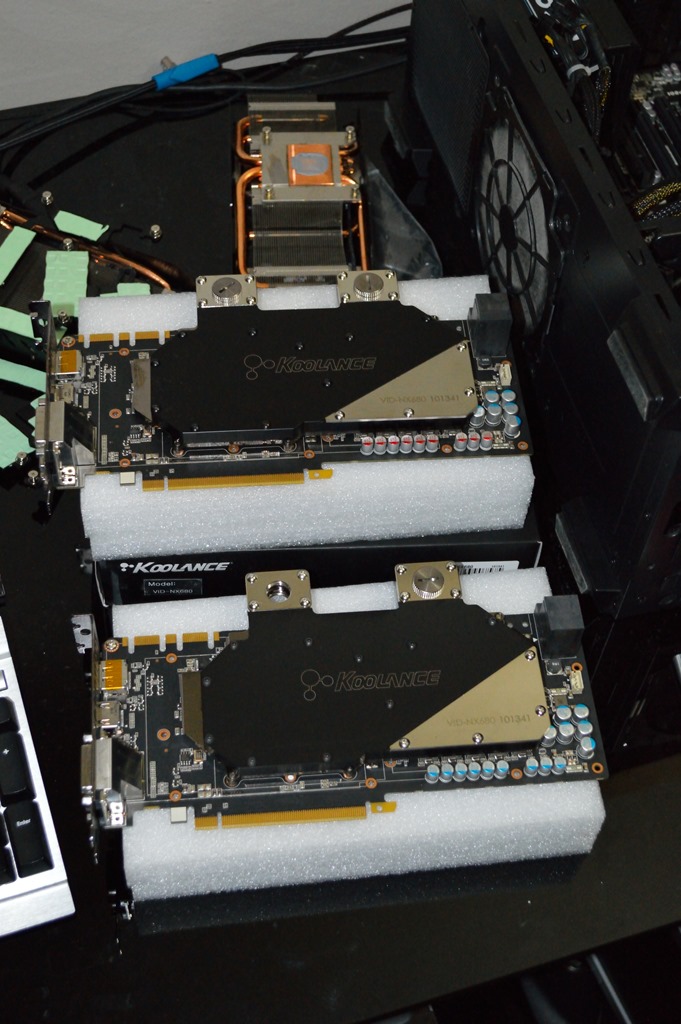
Beyond this it was just a matter of preparing and installing the GPU water block. Again I went with the Koolance VID-NX680 blocks for this installation. And as I have two cards, I had to go through this twice. My back was really thanking me for it later.

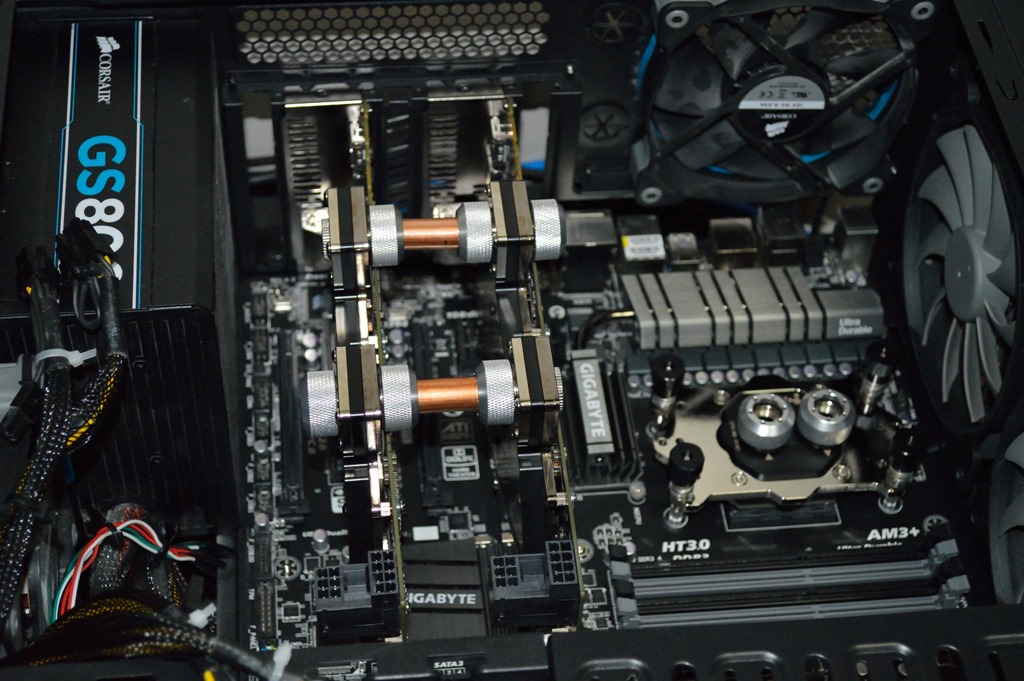
Now in installing the graphics cards, I previously said I was going to use a parallel configuration. And I kept with that plan. I also said I was going to use acrylic tubing to accomplish that. I decided against it. In not going with the memory water blocks, two of the hardline fittings were freed up, and as I had two spares, I was able to tube it up using copper instead of acrylic.

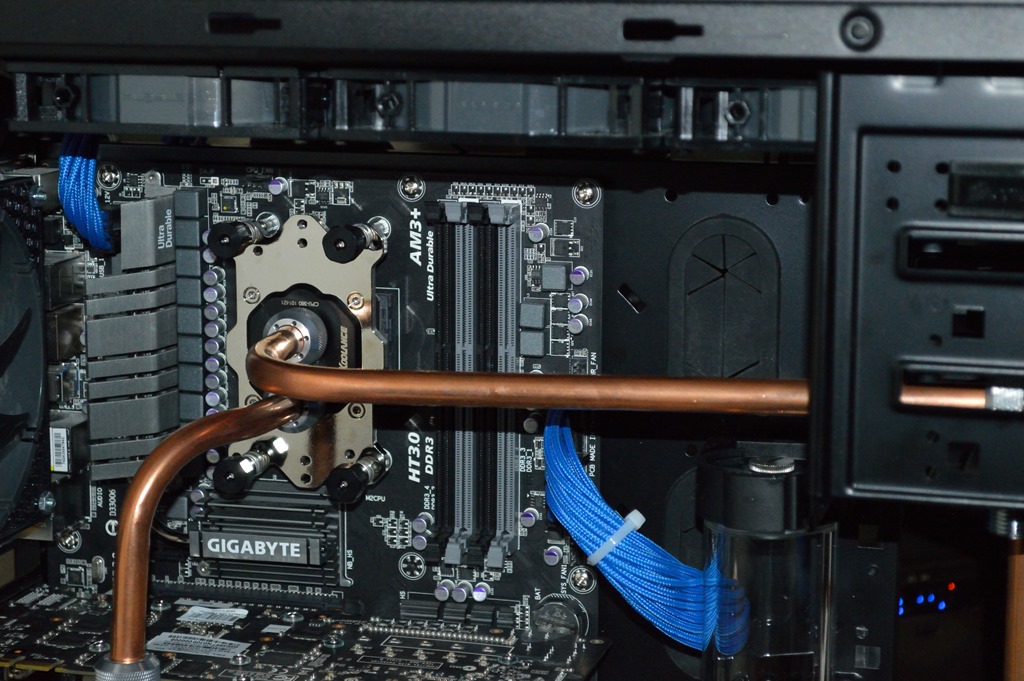
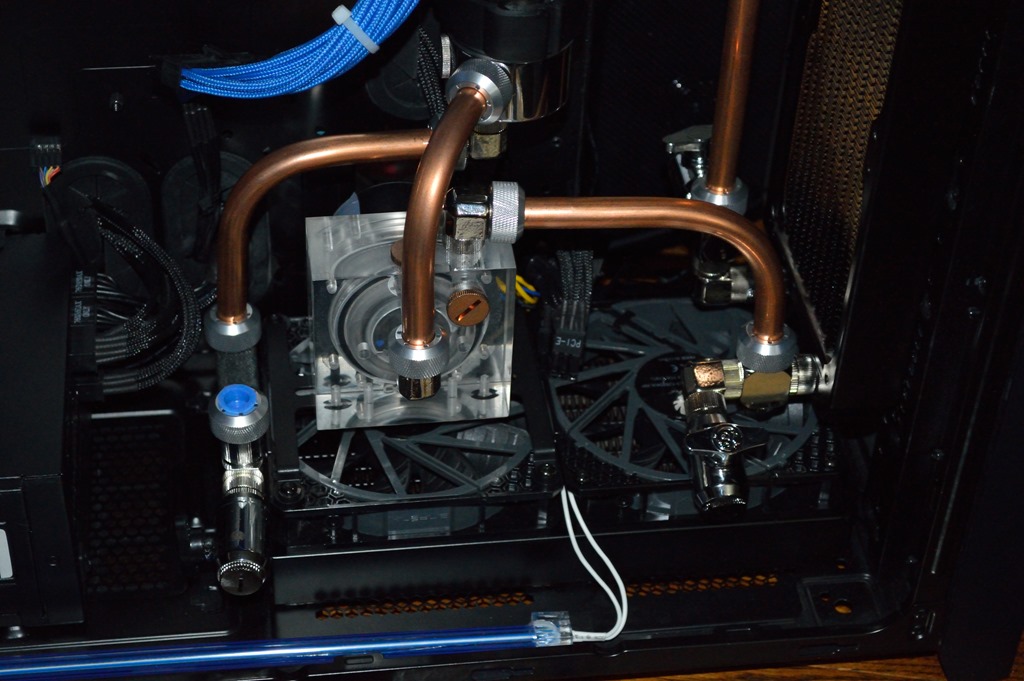
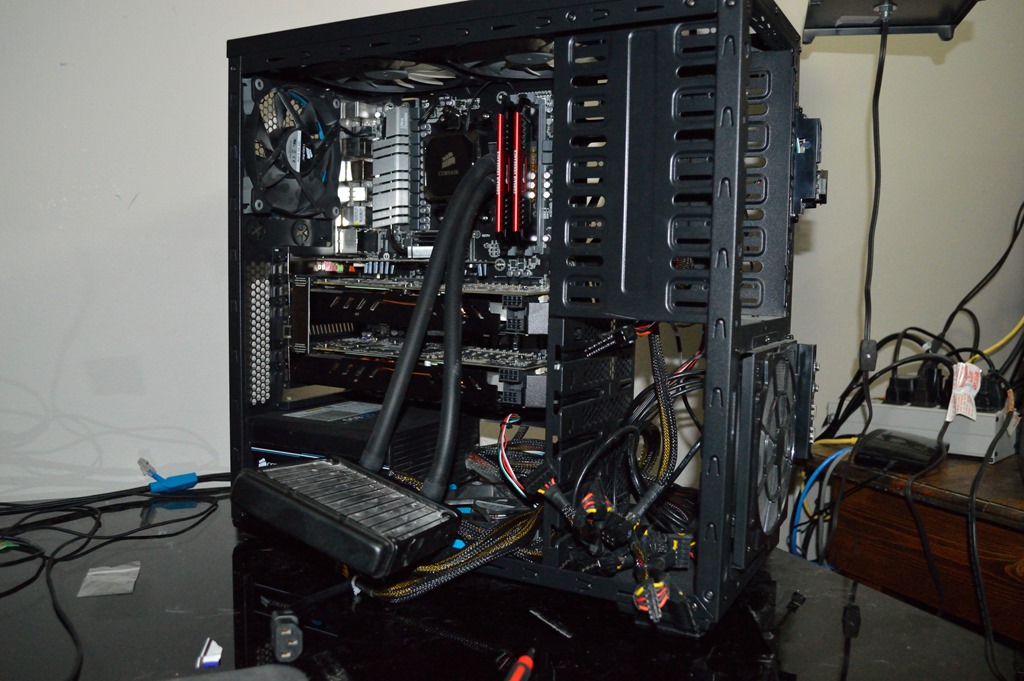
As you can probably tell, I was using the Zalman case for the initial test fits. It was just easier that way. I wanted to do as much test fitting as I could before I had no choice but to move everything to the 750D. The next test fit was the tube running from the graphics card to the CPU.

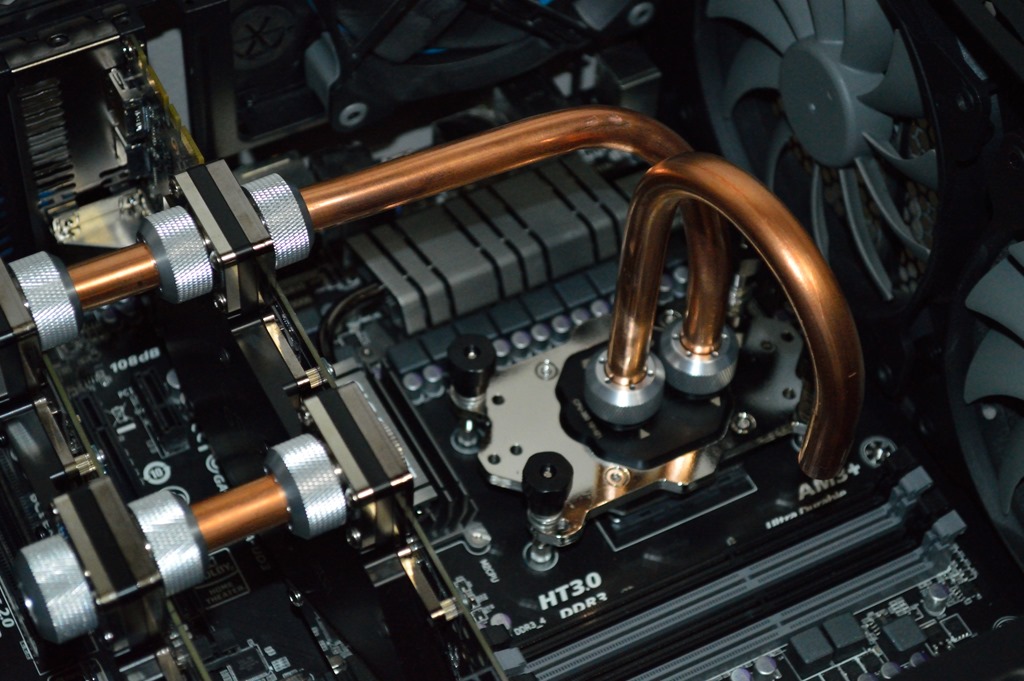
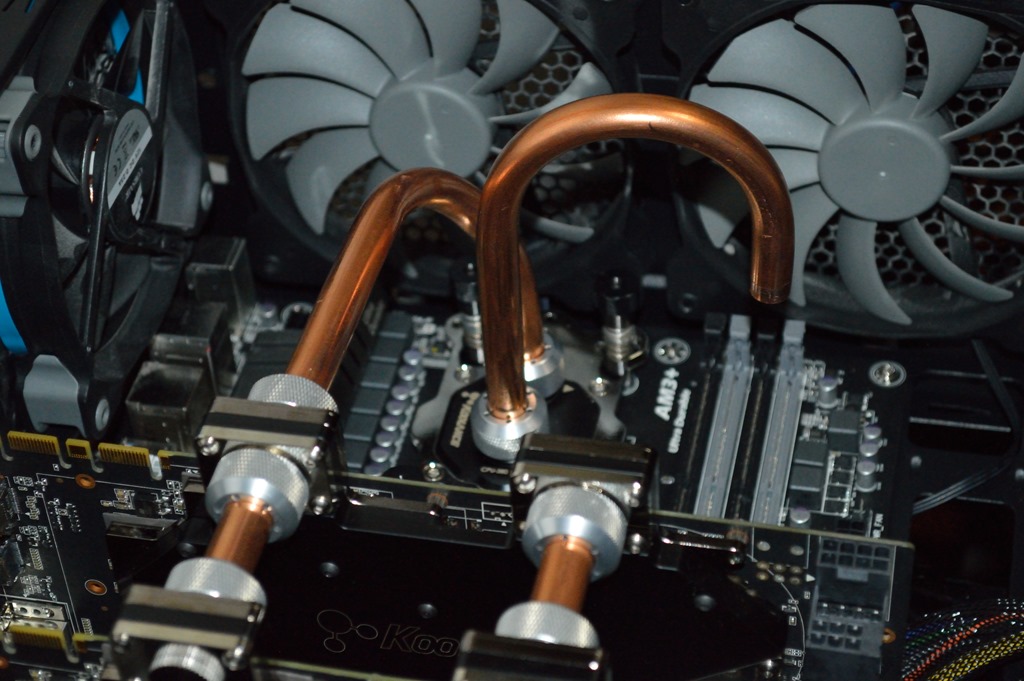
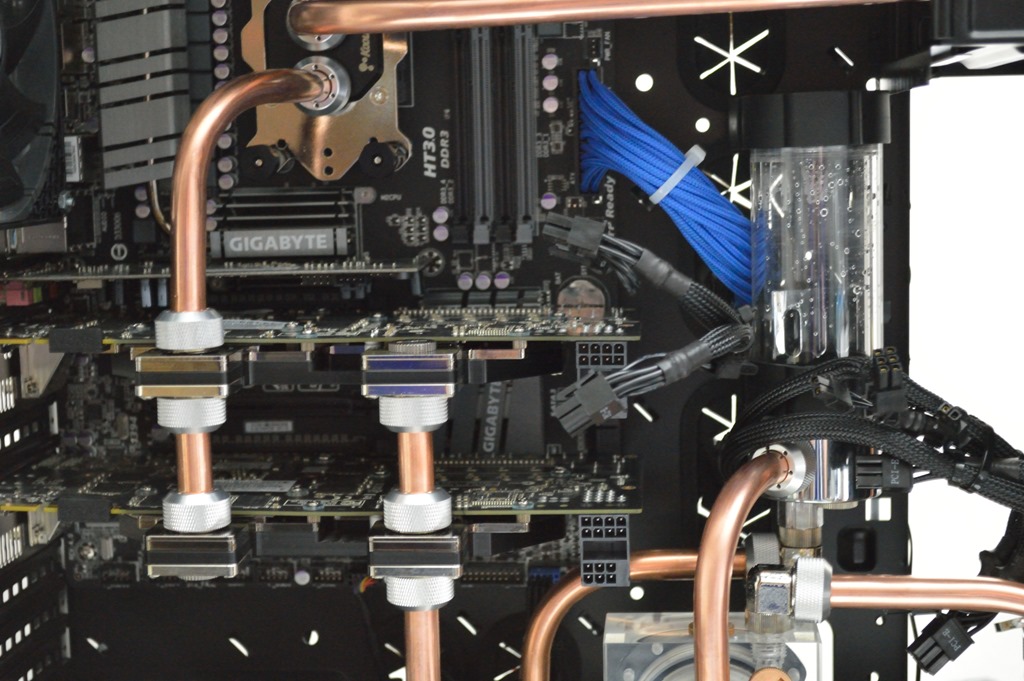
The hooked piece is there to test clearance. The tubing comes straight off the graphics card and does a 90-degree bend to turn toward the CPU, and another 30-degree bend to line up with the fitting. That one was fun to figure out. Unfortunately it didn’t entirely work out the way I thought. As this was the last test fit I could do without having to be in the 750D, I took this apart and moved everything over.

The cat didn’t seem to care. I really wish I knew why he liked my chair so much.

A new home

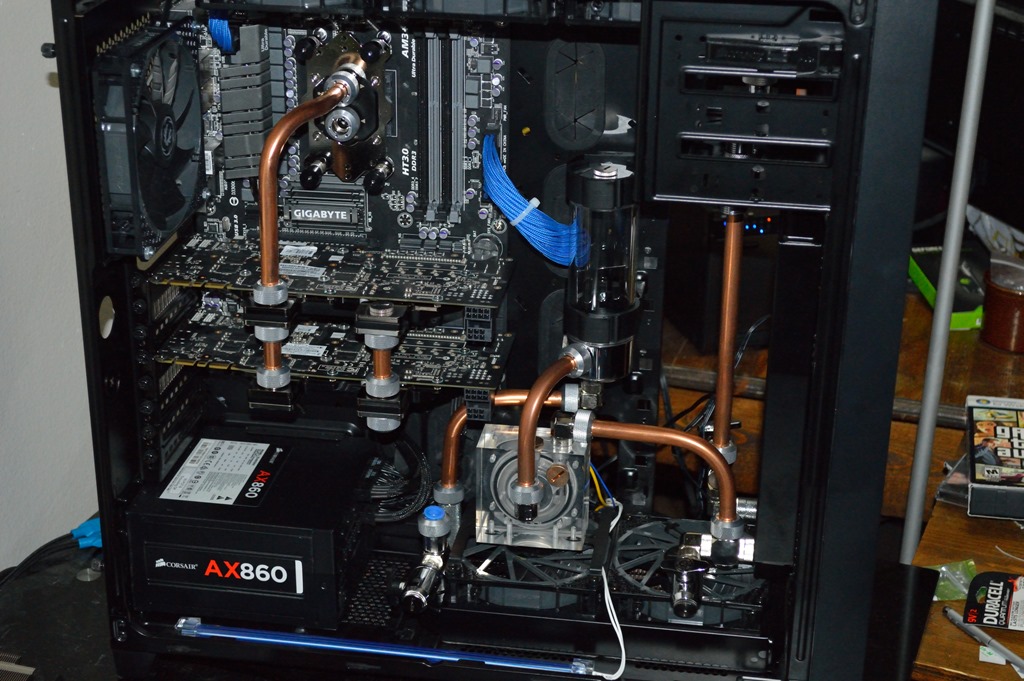
So again I pulled everything apart and moved it all to the 750D case. Once I had the mainboard seated, I plugged up everything to it and seated the graphics cards and the tubing that had already been fitted.

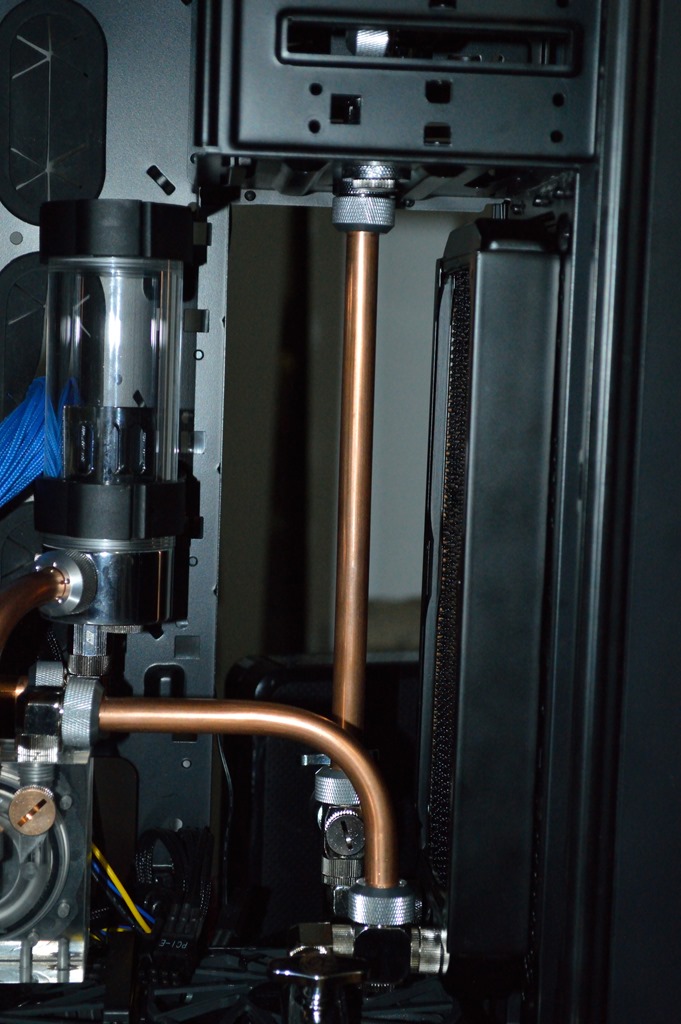
From here, there were only two things left: top radiator to CPU and graphics cards to bottom radiator. I tackled the former first. Part of the problem here is that the inlet in how I initially had this oriented actually directly lined up with the bottom of the 5 1/4″ drive bays. So I flipped the CPU block around – required a trip to Microcenter as I was out of thermal compound and was not going to use what Koolance provided – and that alleviated the problem.

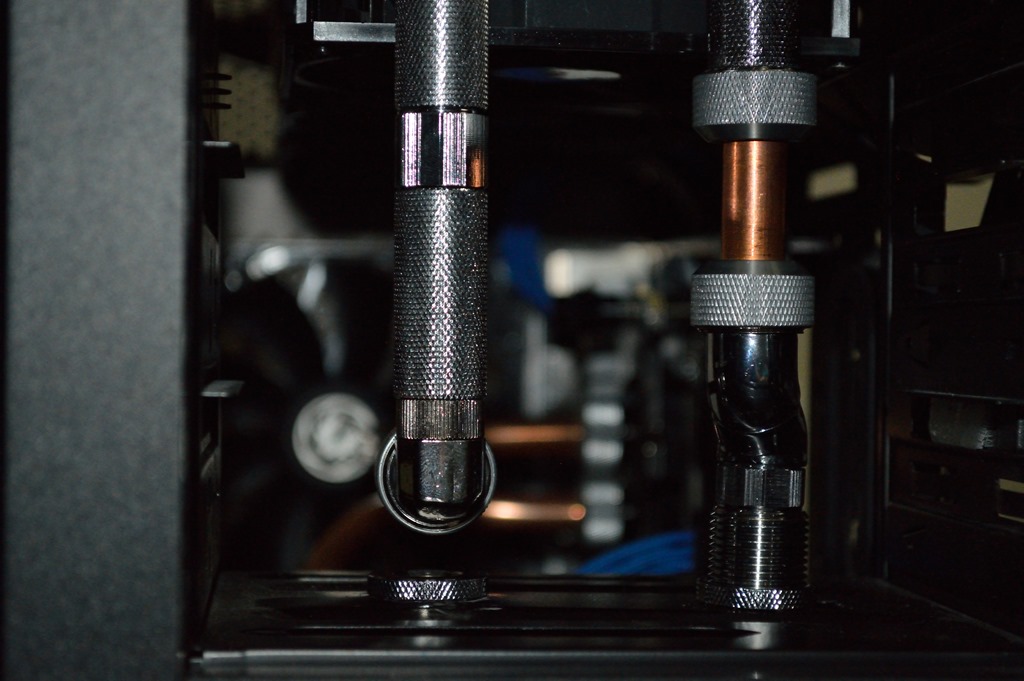
But this required an interesting extension fitting configuration coming off the radiator.

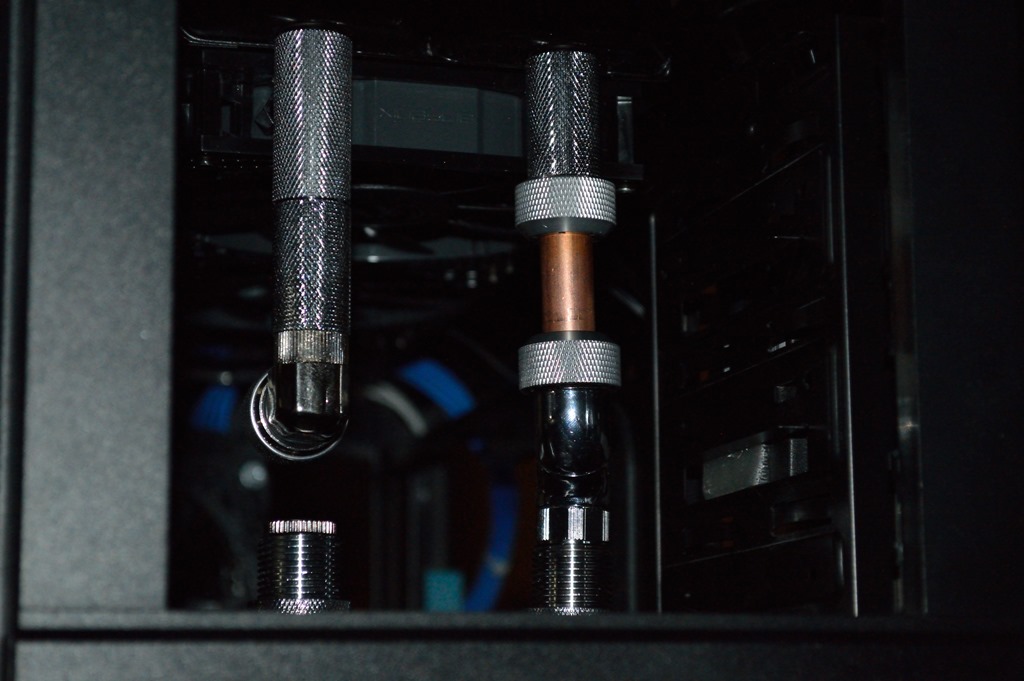
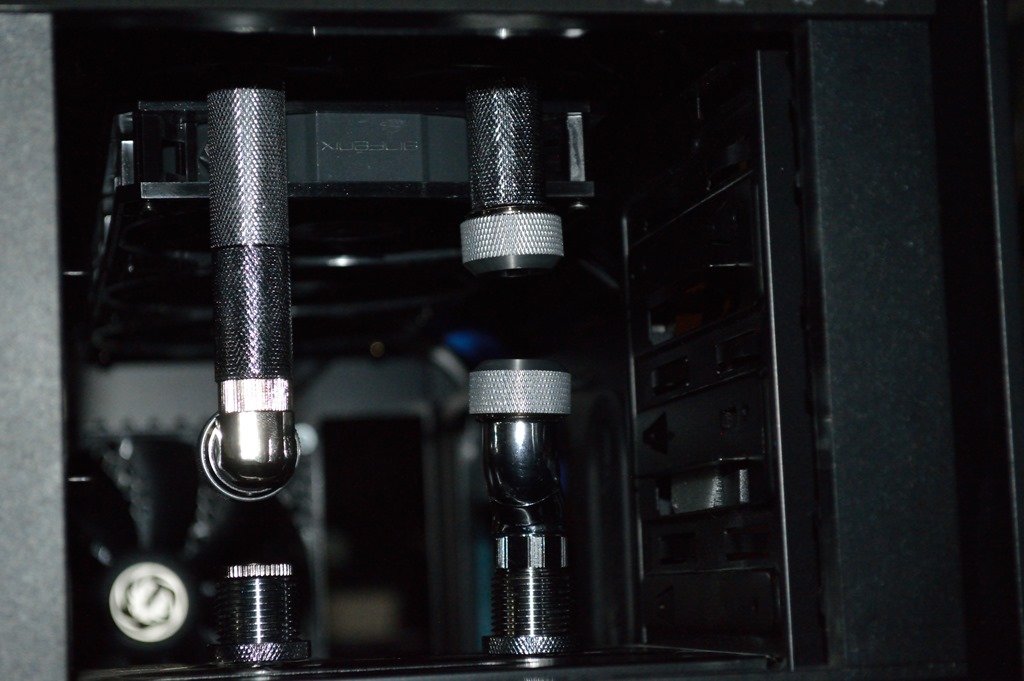
I think that’s 2xBitspower 40mm extension fittings, or one of them may be a 30mm. I’m not entirely sure. The one in the middle is a Swiftech 15mm extension fitting. That gets it almost perfectly lined up. Somehow. From there I turned my attention to the bottom radiator. I tried to see if I could bend tubing to join the two, but with my tubing bender, nothing would work.

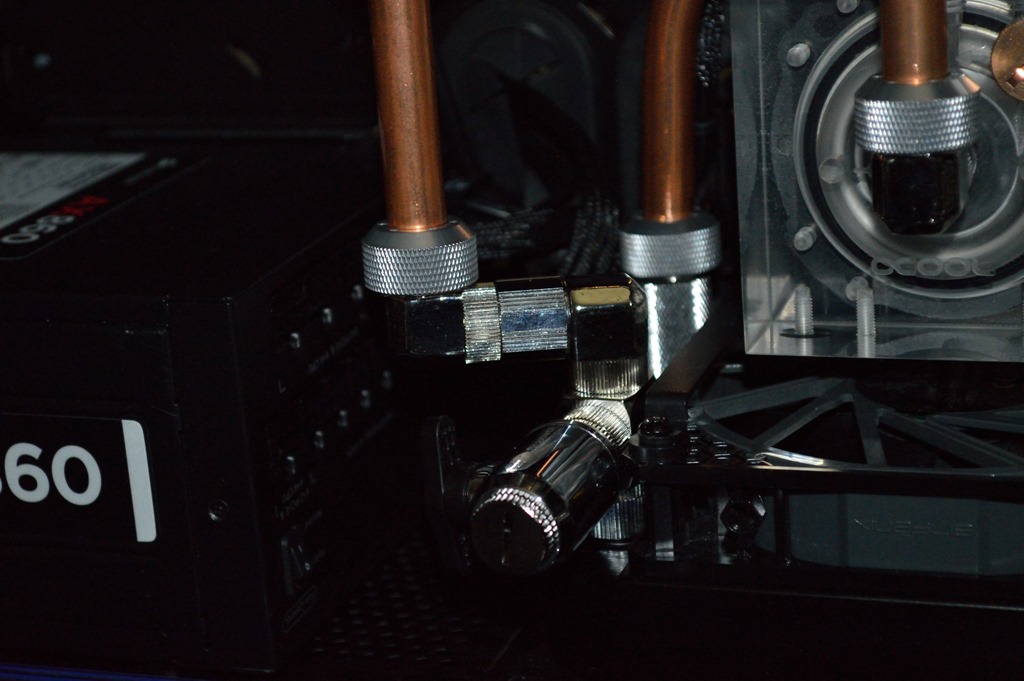
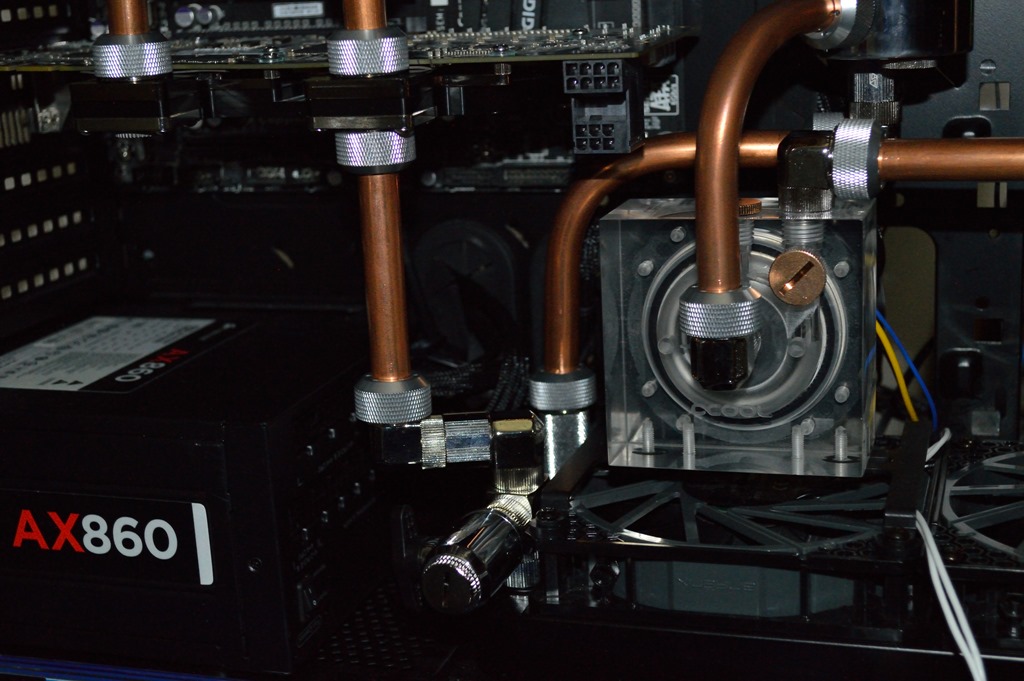
Luckily I ended up discovering this:

That’s a Koolance 90-degree fitting to a Swiftech 15mm extension to another Koolance 90-degree fitting. Somehow that closes the gap needed to get the tubing lined up almost perfectly straight under the graphics card fitting.

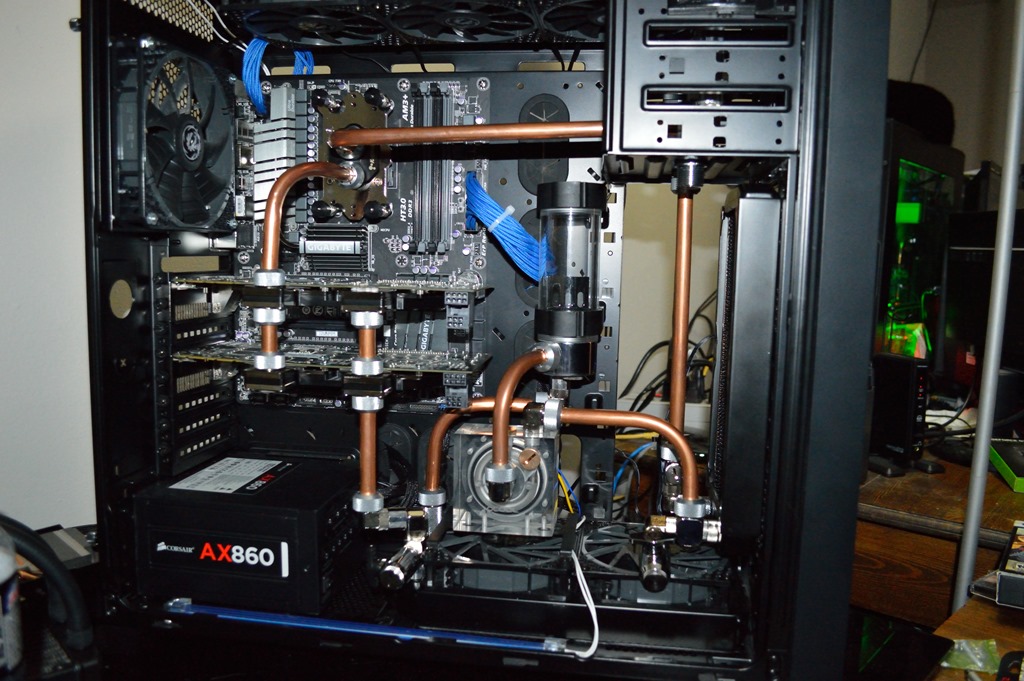
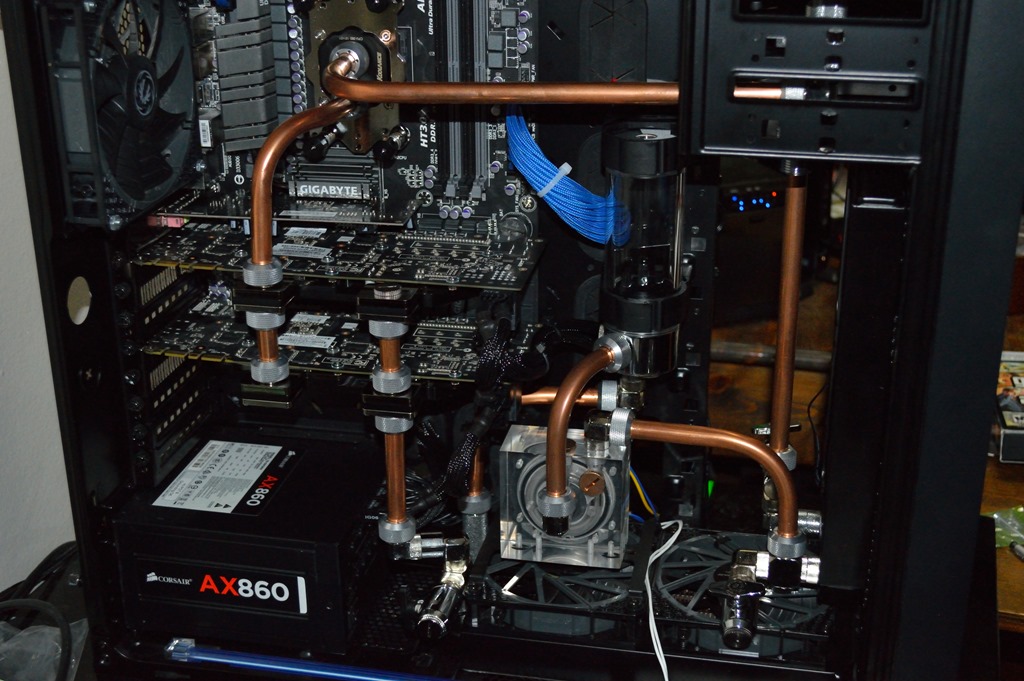
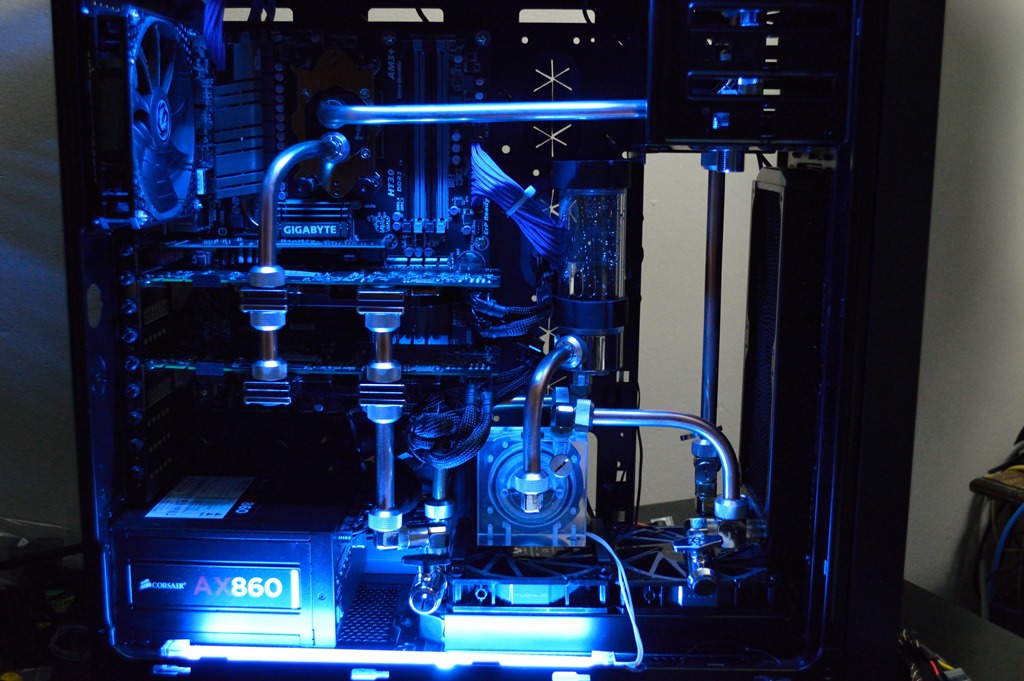
And with that the loop was complete. Time for the leak test. The green glow in the background is Absinthe. The black thing on top is Shadow.

Leak test

One point to note: if you use the PrimoChill syringe to fill your loop, 1/4″ ID tubing will fit over the tip, allowing you to directly inject the coolant into the reservoir. Like with Absinthe, this initial leak test was with distilled water. After getting it filled and bled, I left it to run overnight, even plugging in the lights before going to bed.

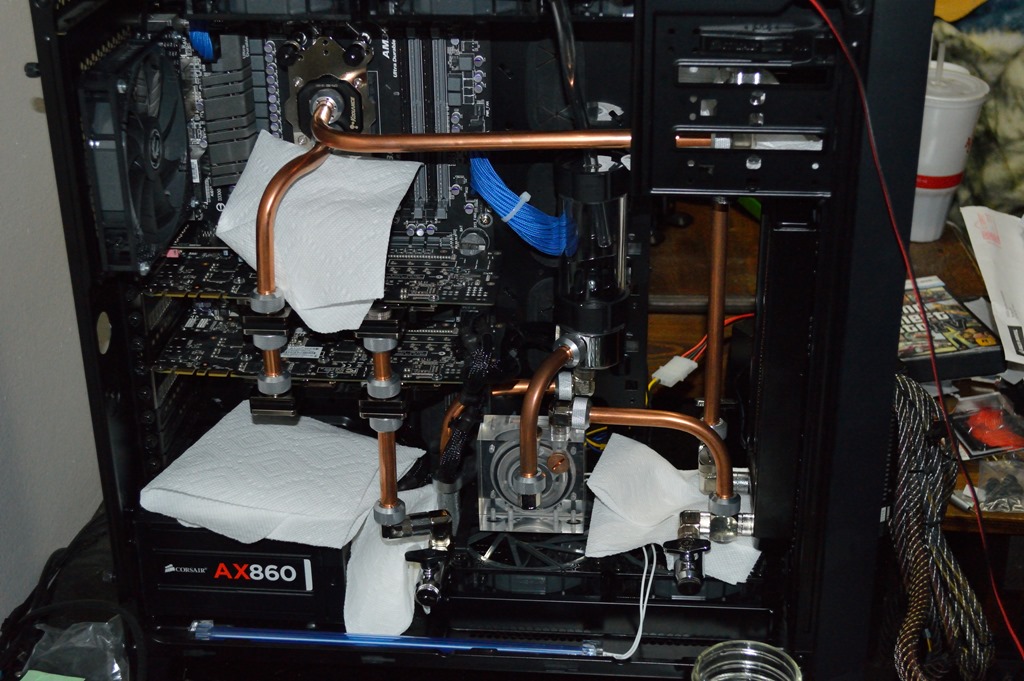
The next day I drained the loop and finished up the cable management as far as I could. I refilled the loop and let it run for a while longer before draining it again, that time with the intention of pulling it apart so I could clean the tubing with Brasso.

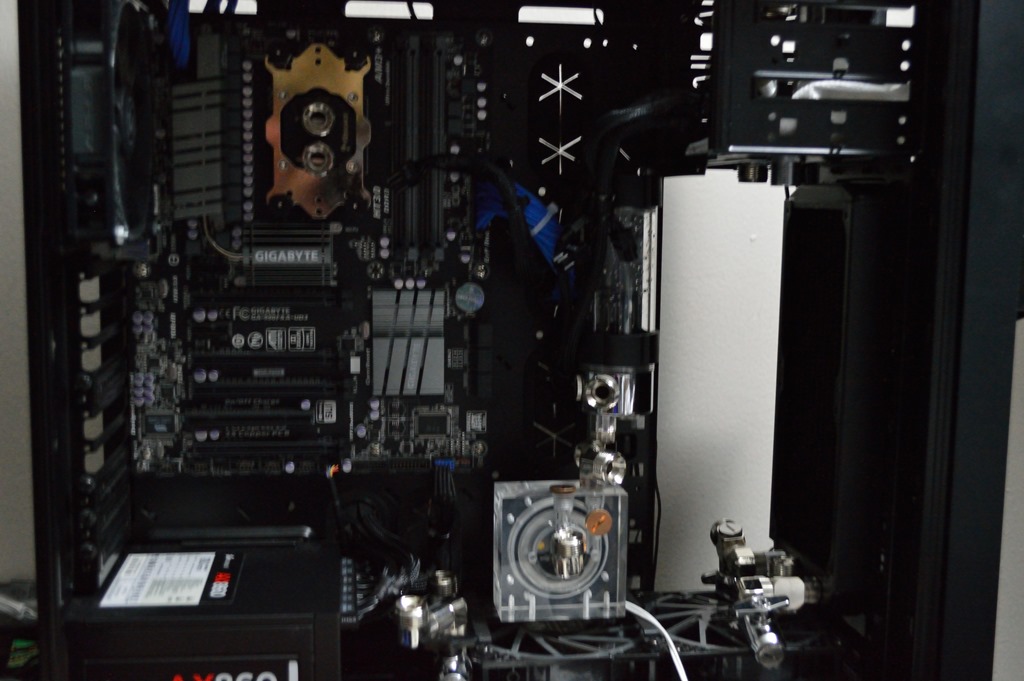
Looks pretty empty, doesn’t it?

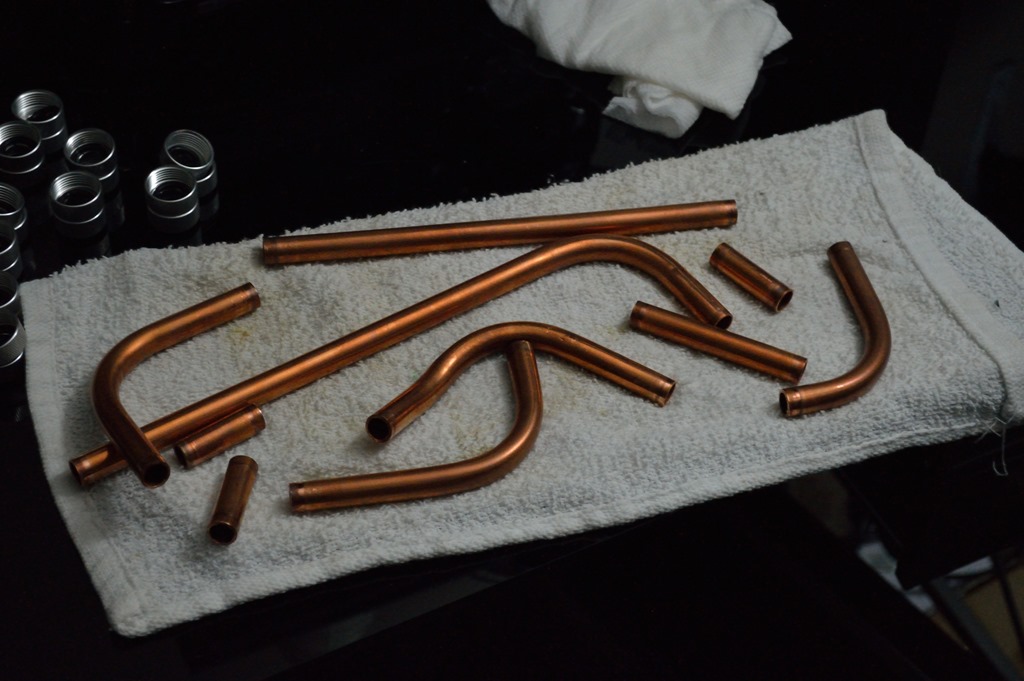
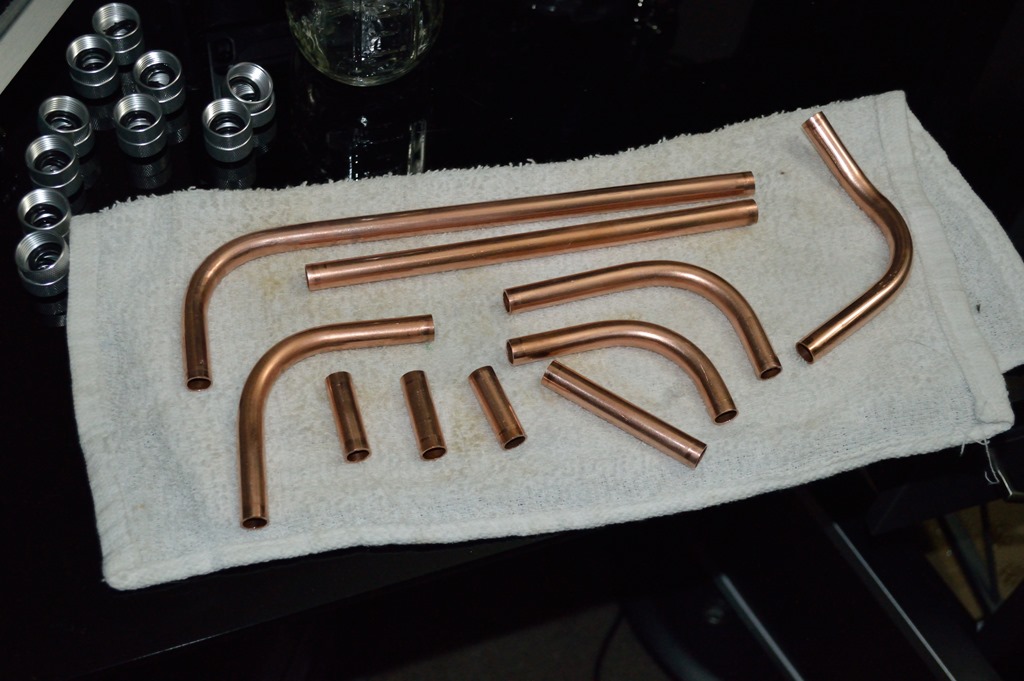
Now one thing I should clarify that I didn’t in Absinthe’s build log: cleaning the tubing isn’t about cleaning off tarnish. There actually wasn’t much in the way of tarnish on the copper, and that is why I didn’t go with something like Tarn-X – not to mention the fact I’d have to treat it and any leftover as hazardous waste. The idea here isn’t to de-tarnish, but clean, as in clean all the stuff that ends up coating the tubing from its manufacture and transport so it’s nice and shiny before being reinstalled. As in the stuff that I also have to use pumice soap to clean off my hands after handling copper tubing while straightening, cutting and bending it.

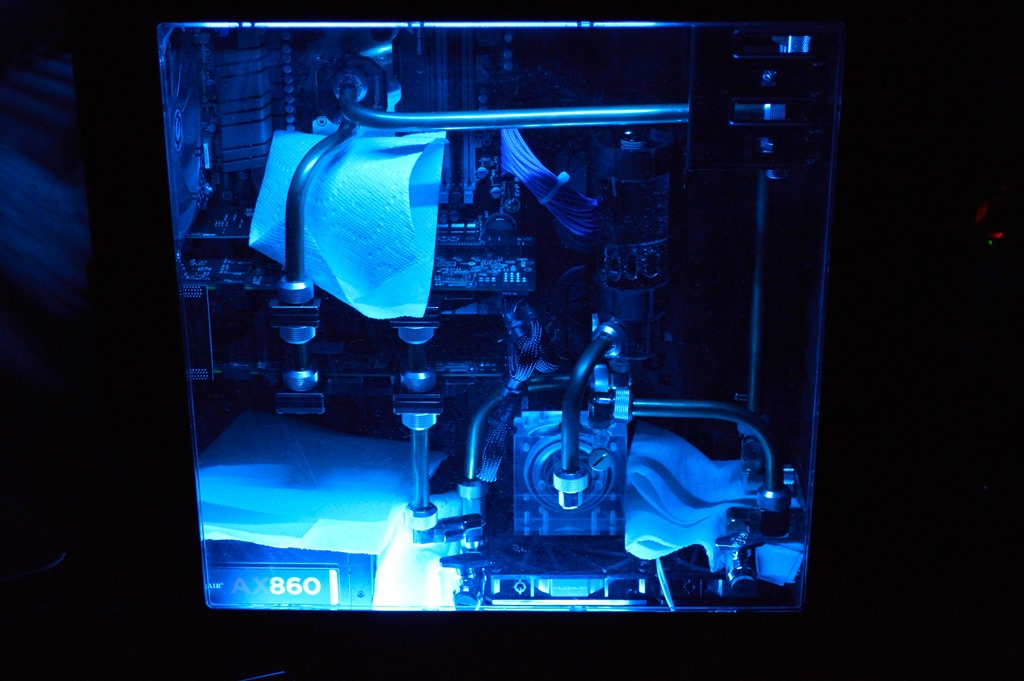
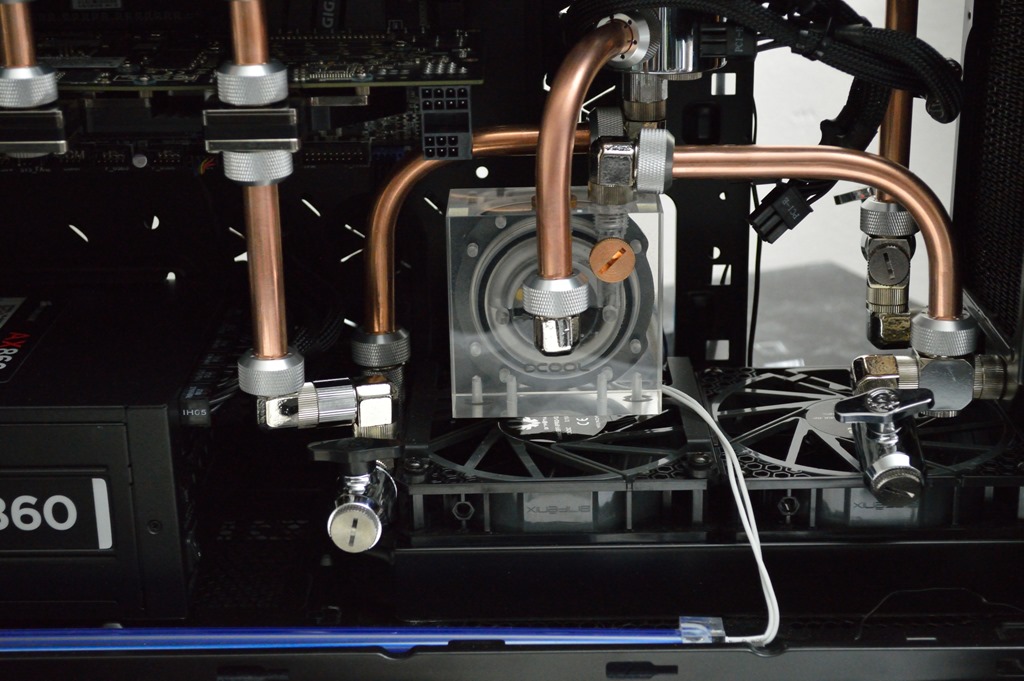
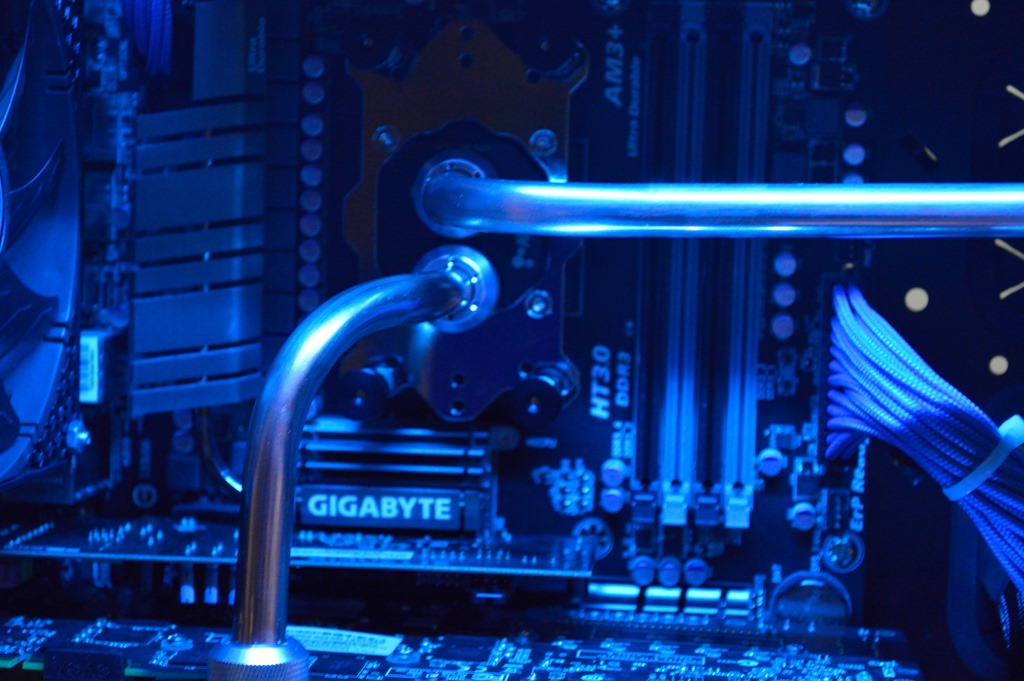
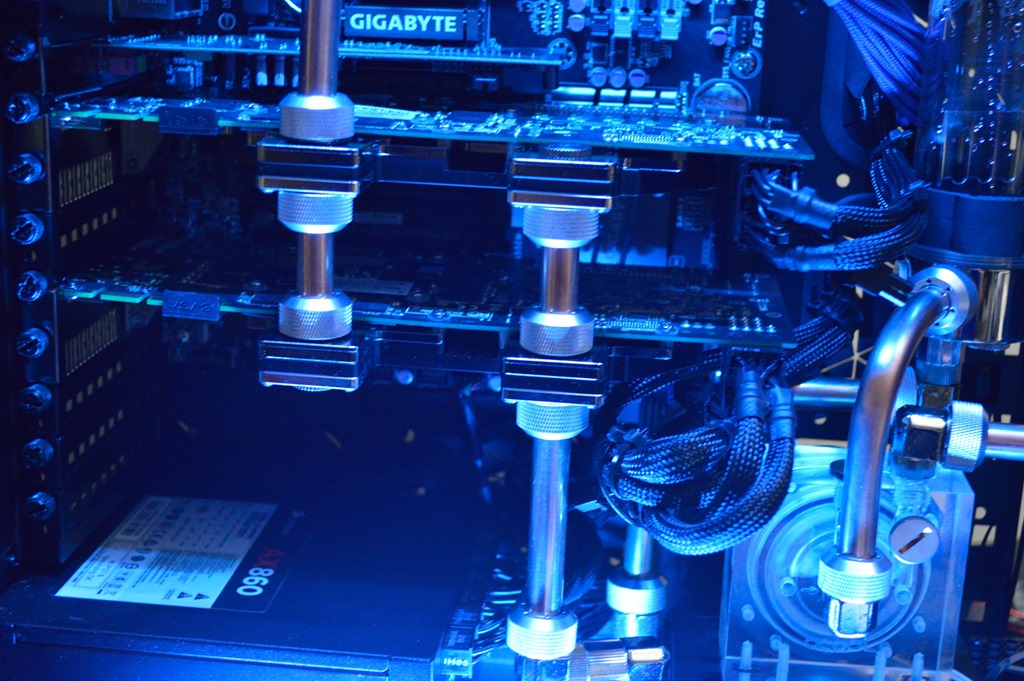
Before filling it with coolant, I plugged up the lights for a couple more pictures before my wife and I went to Longhorn Steakhouse for dinner.

When I got home, I filled the loop with coolant and left the pump running overnight to bleed out all the air.

Finishing up, almost

The next day, Monday, I picked up the memory I had overnighted through Amazon. Courtesy of my Prime membership, the overnight fee was only $4. This allowed me to finish up the loop, get the computer plugged back up and get everything actually running without any problems.

So let’s talk temperatures.

With Prime95 running Large FFT, since it says it’ll produce maximum heat, the temperature would not break into the 30s C during my test. I let it run until all workers had passed the 480K test, which took about 20 minutes. The temperature reached 29C at most, and hovered more around 28C.

That is certainly pretty… freaking… insane performance out of this loop.

For the graphics cards, I ran Unigine Heaven Benchmark on the highest settings I could at 1080p resolution and ran the benchmark. Here’s where the anomalies started coming in. One card hit 60C during the test while the other maxed out at 48C during the benchmark, and the hotter card stayed about 10C hotter for much of the test. Now after the test was done both cards bottomed out back to the low 30s relatively quickly, but the fact one card was getting significantly warmer than the other is concerning.

I have two hypotheses.

First is the parallel configuration. Now I’m not talking about the fact I have them in parallel, but the way I have it in parallel, in that the copper tubing going between the two cards may not be perfectly straight and it’s creating resistance, slowing the flow through one card, giving it a hotter temperature.

The second hypothesis is that there might still be air trapped in the warmer card. I’m leaning toward unlikely on this one, though, that there would be so much air still trapped in the block that it would create a 10C difference between them. Something else must be at play here.

So in trying out the first hypothesis, I have on order a couple fittings from Swiftech. I’m going to replace the current setup with Swiftech’s SLI fittings, keeping the parallel configuration, but just ensuring everything will be perfectly straight between the two so resistance is about even through all flow channels. The computer is still perfectly usable in the mean time. I just don’t like seeing such a temperature difference between the two. So there will be more to come later this week. Hopefully I’ll be able to get those temperatures stabilized.

It’s still unbelievable what I was seeing on the CPU, though.

Beta Orionis – Part X

Build Log:

Building finally begins!

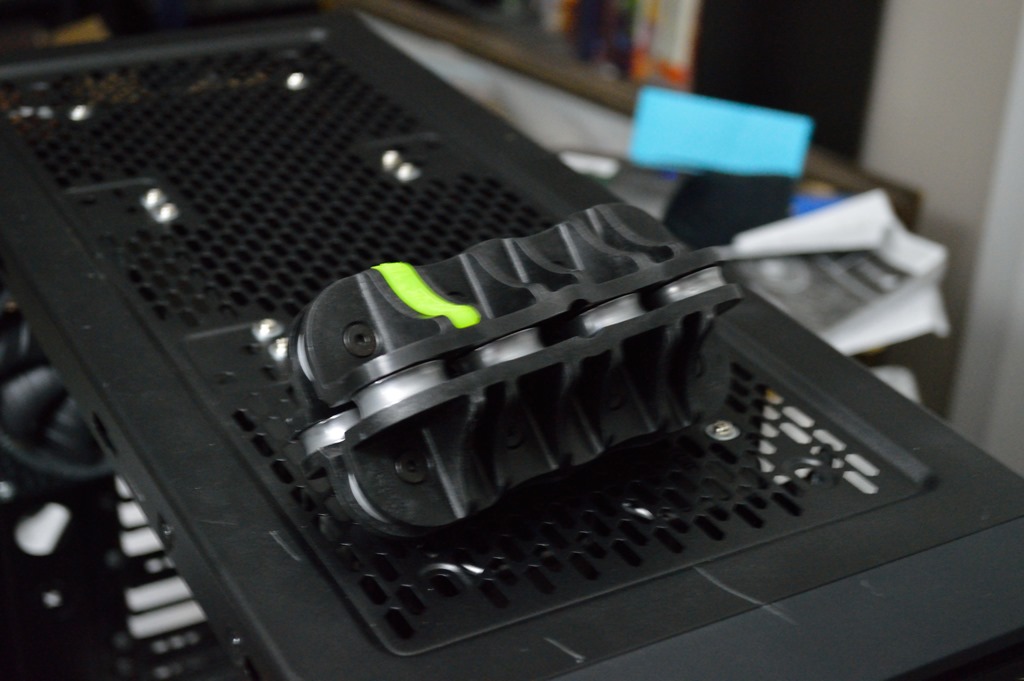
As I mentioned the tubing straightener shipped on October 31. It arrived November 4, so that was pretty quick, certainly sooner than I expected it to arrive. The tool was also a bit smaller than I thought it’d be.

And it works like a charm. It won’t get the tubing perfectly straight, but it gets it pretty close, about as straight as I could get the tubing with the bench vice-vice grips-mallet method, but without the noise and associated pain in my hand. I was able to start pulling and bending copper tubing to get part of the loop built. Now this is about the furthest I can make progress before having to tear apart everything out of the Zalman case and start moving everything over, something I’ve been eagerly anticipating for the last couple months – the first article on this build was a little over two months ago. That move will likely be more toward the weekend.

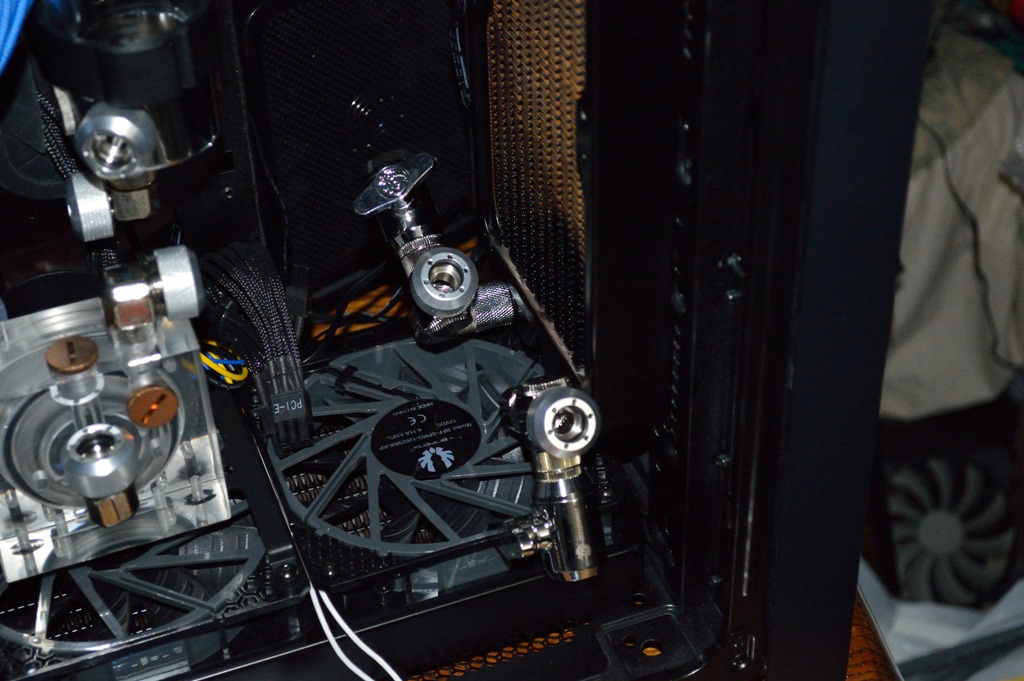
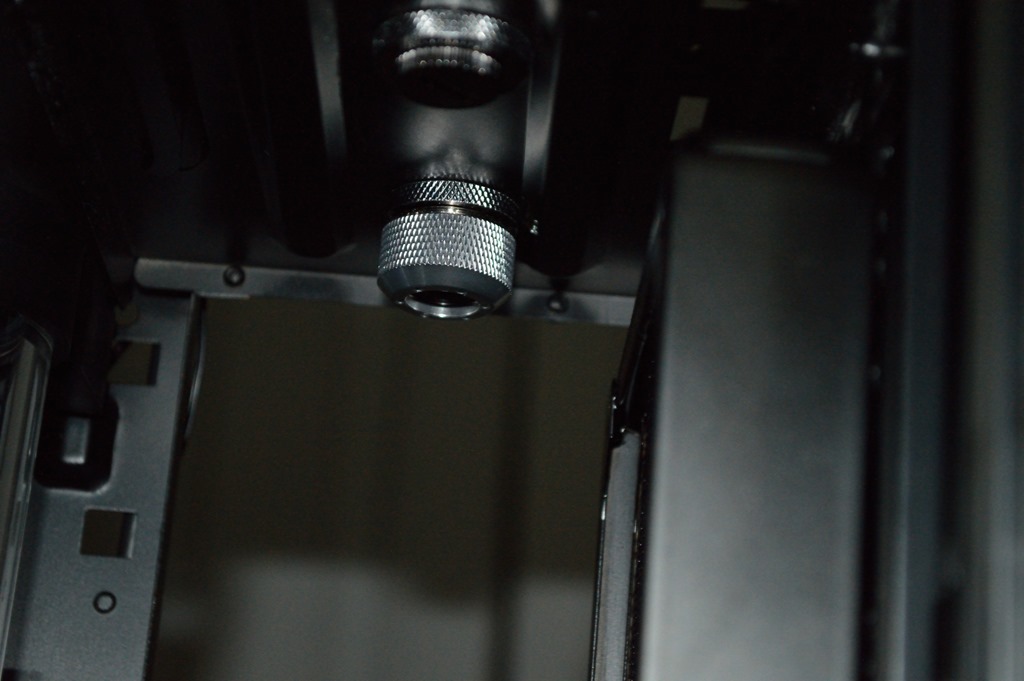
Now the drain on the front radiator on this side of the case had to be changed. The 90-degree fitting I originally had used to take the flow off the front radiator put the fittings too high for the radius of the tubing bender. So I took it off the 90-degree fitting and changed it to what you see. It’s a male-to-male rotary fitting into the 4-way block. The drain valve is on the 90-degree fitting I originally used so it’s pointing out to the side like the drain on the bottom radiator to the left of the pump.

The line going from the front radiator to the bulkhead fitting worked out perfectly, as did the line going from the 90-degree dual rotary fitting to the top radiator.

This small piece of tubing was a little interesting to place.

It should be easy to see what is going to be happening next. Everything will need to be taken out of the Zalman case and moved to the 750D. The CPU water block will be installed along with the memory water blocks. Tubing will be run from the memory water block to the CPU water block – a 15mm extension on the CPU block may be able to get two 90-degree fittings lined up for a straight run. Tubing will also be run from the 90-degree fitting just hanging out in the picture above to the memory water block – straight run plus a 90-degree bend is what I think it’ll take, but I’m not entirely sure on that.

I need to buy a miter box or something similar for cutting the short pieces of tubing for going between the graphics cards. I bought the hacksaw for that on my last trip to Harbor Freight. Unfortunately the only miter box they have comes with a saw, and as I’m not going to be hacking lumber any time soon, I don’t need the combo deal. I should be able to find just the miter box without the saw at Home Depot or Lowe’s.

Once the graphics cards are in place, I’ll know what I’ll need to tube up from the lower radiator to the lower graphics card, and from the top graphics card to the CPU – that I expect to be most difficult run of the entire loop.

Like with Absinthe, once everything is put together, there will be an initial fill and leak test, along with a drain test followed by another leak test. All of that will be with distilled water. Once everything is fully tested, it’ll get filled up with coolant and bled again for the initial boot with the new cooling system.

Beta Orionis – Part IX

Build Log:

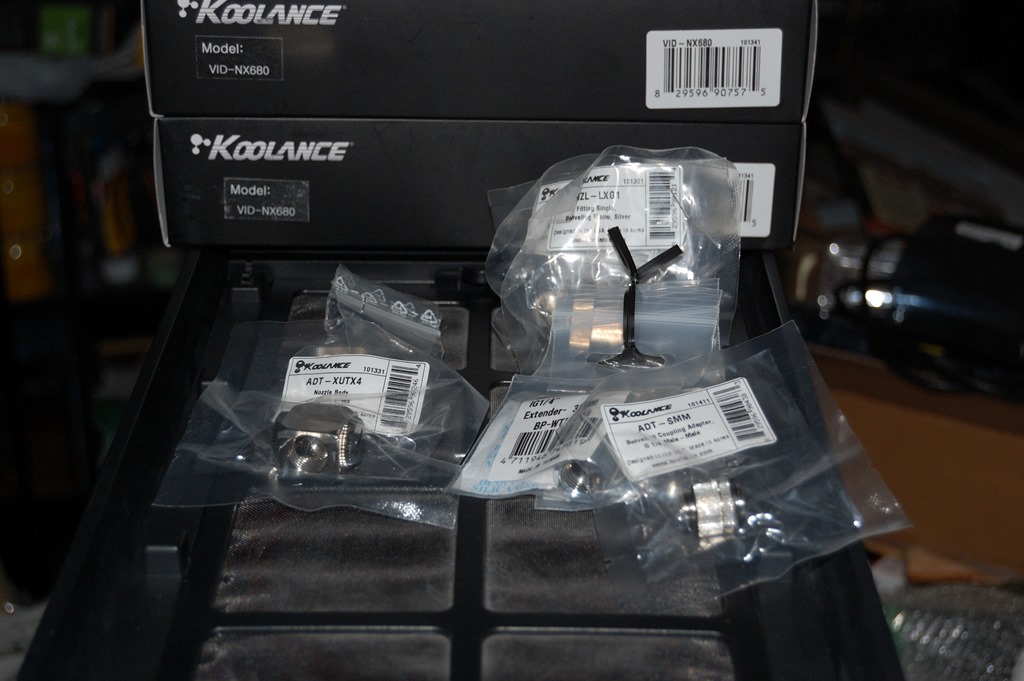
Courtesy of a train that was going through the western district of KC that includes Kemper Arena, I barely made it to UPS on time to pick up the package. When I got home, I did the obligatory inventory confirmation (everything correct) and started to work. This order was the 3xKoolance 90-degree fittings, 2xBitspower 30mm extensions, 1xKoolance male-to-male rotary fitting, 1xKoolance 4-way splitter, and a pair of EK 16mm hardline fittings.

In the background are the two GTX 680 water blocks for the graphics cards.

One thing I should point out: I decided to turn the top radiator back around so the fittings were on the front. The flow of the loop will go from the pump to the front reservoir, then to the top reservoir through one of the bulkhead fittings. From the top radiator it’ll go the the memory, then the CPU, to the graphics cards (in parallel), to the bottom radiator, then back up to the reservoir.

Adding a few more drains

Part of building the loop is figuring out how to drain it, and draining it requires figuring out where all the various catches could be. In the loop design for Absinthe, there are in actuality two places where drains should be: the front radiator and the pump. Currently there is only one on the pump, which is why trying to drain it is a pain – something that will be resolved with future upgrades.

With β Ori. there are actually three places where drains are needed: on the bottom radiator, on the front radiator, and on the pump – alternatively there can also be two drains on the front radiator instead of one on the pump. The idea is to allow gravity to take the fluid out of the system as best as possible, preferably without having to tilt the case into all kinds of weird angles to accomplish it, or going nearly faint trying to blow tons of air through the loop. In β Ori., the front radiator is tanks down, meaning the fittings are on the bottom. Vertical radiators are always going to be a pain to drain, so having a drain on both sides of the radiator should help that – and with tanks down I don’t have to fight gravity to get the liquid out.

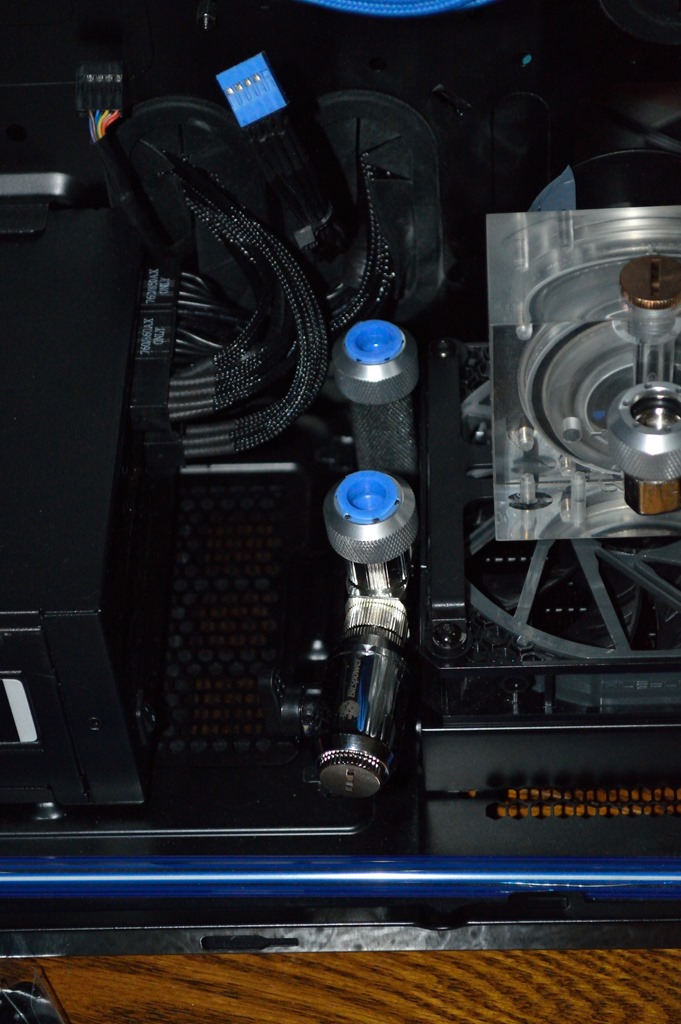
So I placed another order that arrived ahead of Halloween for fittings to construct the drains. The first drain on the lower radiator had already been built using two male-to-male rotary fittings, a Bitspower tap, and the Koolance 4-way splitter block I mentioned earlier. It’s the others that needed built.

The drain on the lower radiator will drain most of the top radiator, memory, CPU, and graphics card blocks along with the bottom radiator and reservoir. The drain on the front radiator nearest the window will take care of half the front radiator, pump, and whatever is left in the reservoir. And the other drain on the front radiator will get the rest of the top and front radiators. There will still be fluid trapped in pockets in the memory and graphics card water blocks, along with the bottom radiator, so this won’t be able to get everything, but it’ll come pretty close. Draining the bottom radiator completely is also going to be a little involved.

The taps in the first picture are looking a little “drunk” due to the rotary fittings not being secured by anything.

Time to drill

I bought a 3/4″ step bit from Harbor Freight. I actually already had one but couldn’t find it, so I decided to lay down the $6 to buy another, especially since there were a couple other small tools I needed, such as a small hacksaw. I still need to get a miter box (without the saw) from Home Depot or Lowes for cutting the tubing, along with some sandpaper.

Unfortunately in trying to drill the holes, the drill ran out of juice, so I could only get one drilled initially and had to wait to get the second one. And after getting them both drilled out, trying to test fit the bulkhead fitting through, it wouldn’t fit. Not entirely shocked there: the fitting is an M20 thread, and 3/4″ is about 19mm. So I went back to Harbor Freight to pick up a 2-bit set since the smaller one in that set goes up to 7/8″ with a 13/16″ step (just a little north of 20mm) above the 3/4″ step.

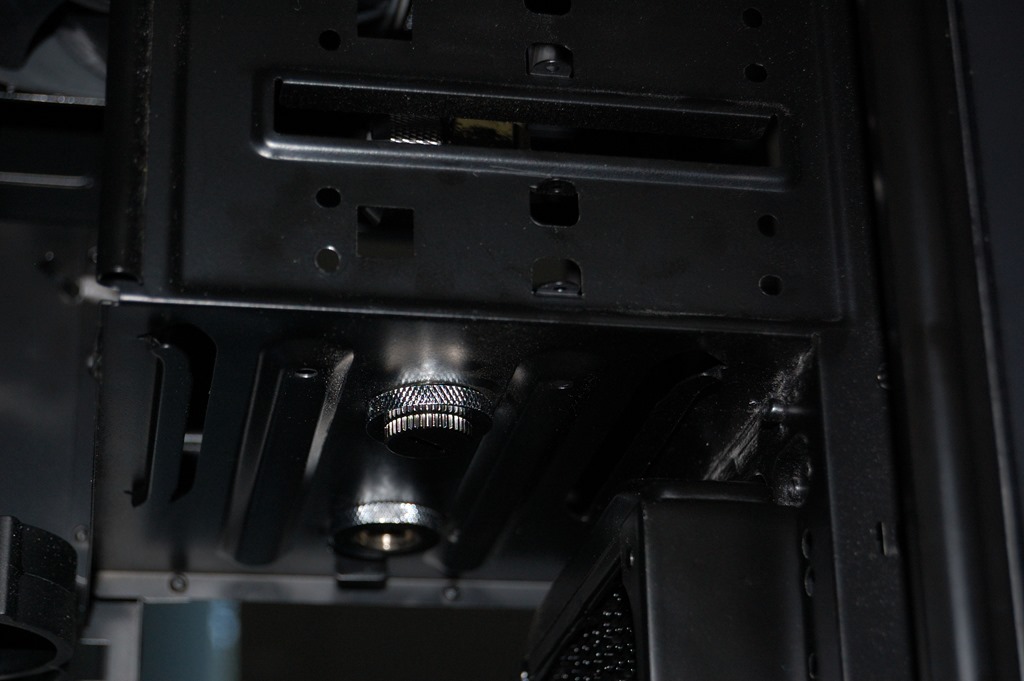
After opening up the holes to 13/16″, I used my trusty Dremel to clean them up. The step bit pushed through the metal and left a crater of sorts on the other side – pictures of what metal looks like after having a bullet through it will show about what this looked like. After cleaning it up, I was able to get the bulkhead fittings seated without a problem.

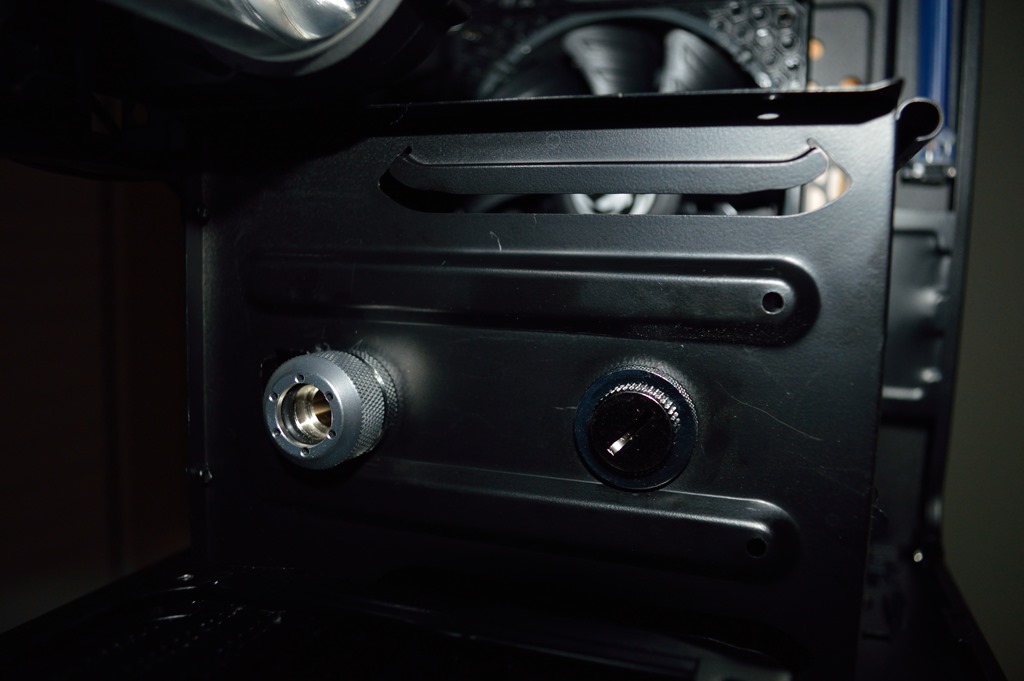
Yes, I have two bulkhead fittings set even though only one will be used. Now these aren’t directly under the inlet and outlet for the radiator. But I did discover that a Swiftech dual-rotary fitting can take care of the offset. The only downside is that it’ll be a very short piece of tubing going between the two. In hindsight, I wonder if an SLI fitting would fit without having to use tubing at all here.

I’ll probably try to do tubing anyway, but I might hand-bend some copper to fit into that area so I don’t have to use the dual-rotary fitting. We’ll see.

Playing the waiting game

The tubing straightener I ordered through eBay finally shipped on October 31, almost three weeks after ordering it. It was shipped via Royal Mail International Tracked and Signed, which claims to have a delivery speed of 5 to 7 working days, or about 7 to 10 calendar days – expected delivery of November 7 to November 12 – November 11 is a Federal holiday in the US, so no postal services that day. So if you’re planning to order this straightener, make sure to take that into consideration.

And the seller also didn’t respond to any of my messages through eBay prior to shipment.

I was really hoping to have it by now. I’m putting off tearing down my computer until I have the straightener, otherwise I’d be tearing it down only to wait about two weeks to have it back up and running again. And there’s not really anything left for me to do at this point except wait for the tubing straightener to come in. Sure I could start pulling and cutting tubing using the same technique I did for Absinthe, but I’d rather not do that. For one it’s a bit painful, given you’re slamming vice grips with a mallet while you’re holding them. Second it’s loud – again, you’re slamming vice grips with a mallet that are holding a length of copper clamped by a bench vice that is clamped onto a counter or bench.

And with 1/2″ OD tubing, it’s also not the greatest option at getting tubing straight. It gets very nearly straight, straight enough that it’s not immediately perceivable, but I’d rather go for straight this time. It works better in the bender when it is completely straight.